Bible slide annotations vs PowerPoint: teach with precise timing
Stop fighting clunky PowerPoint pens and highlight tools. See how step-based Bible slide annotations keep Scripture reveals timed to your sermon.
You’ve planned the point. The verse is on screen. Now you want the congregation to see the phrase you’re about to explain. In PowerPoint, that usually means ink tools, transparent shapes, or a highlight you drew in rehearsal and hope you can recreate live.
Those tools feel freeform. In a sanctuary, they feel clunky: wrong color, wrong thickness, or a reveal that fires too early because the animation order drifted from your notes.
Precise annotation isn’t about fancy markup. It’s about the room seeing the right words at the exact moment you teach them.
What pastors usually do in PowerPoint
- Draw live with pen tools — inconsistent mid-sentence
- Pre-draw shapes over words — break when font size changes
- Duplicate slides (clean → highlighted) — decks balloon
- Animation on click — order breaks when someone edits the slide
Annotations built for Scripture slides
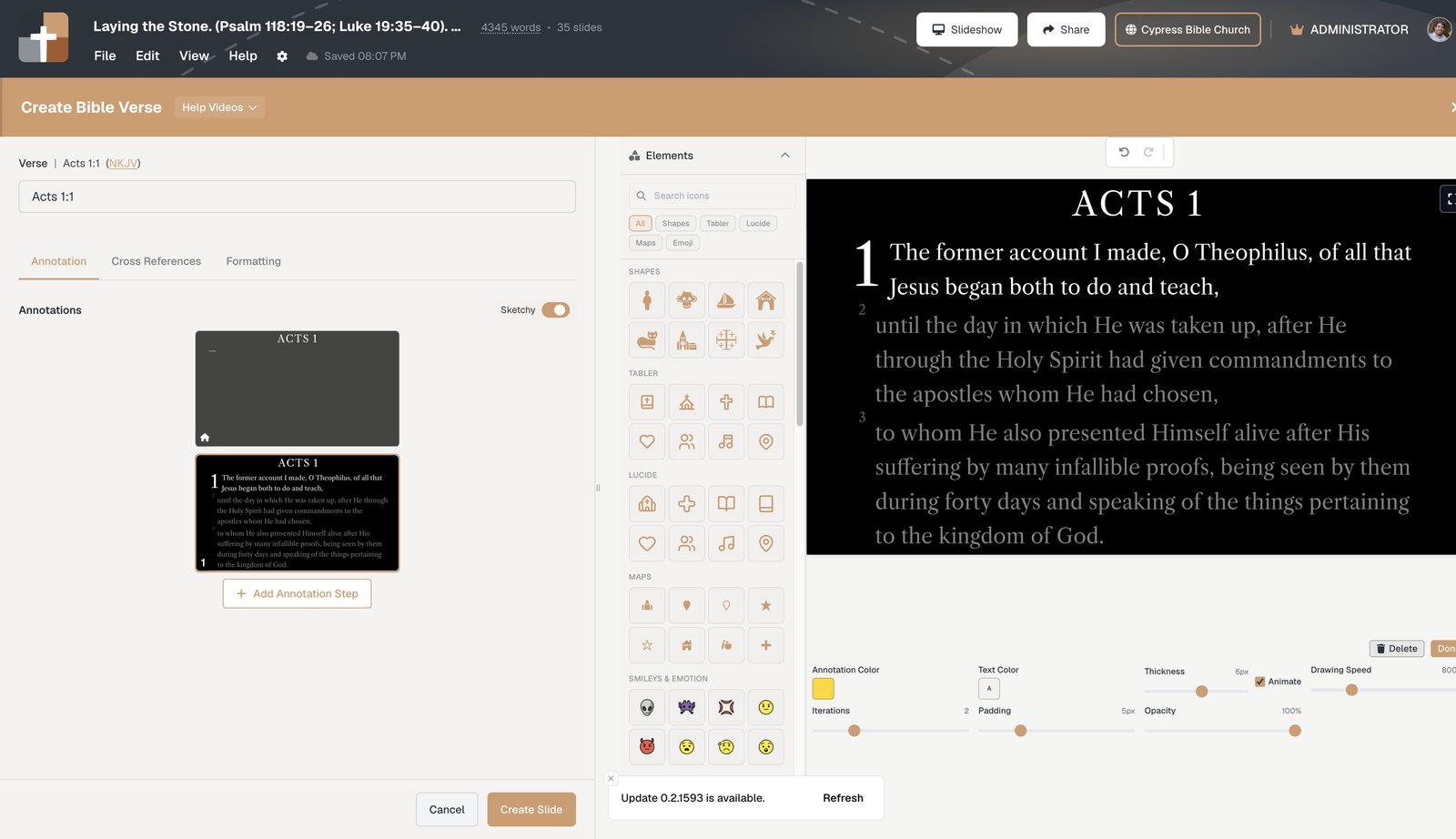
In BibleSlides, markup is part of the Bible Verse slide — stepped in the order you’ll say them.
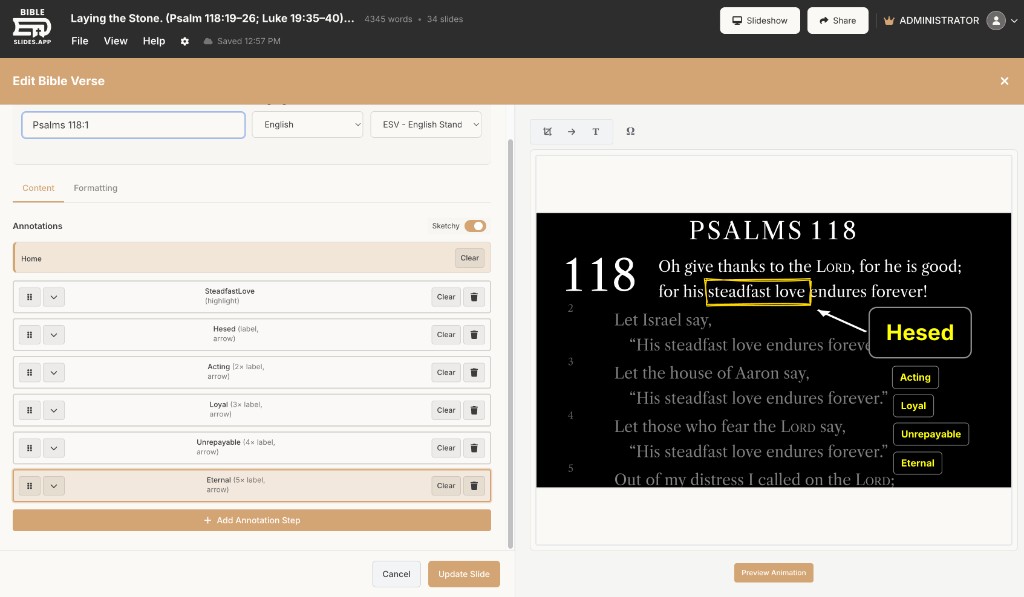
Why that saves prep time:
- Design the reveal once while studying
- Don’t rebuild highlights after every font tweak
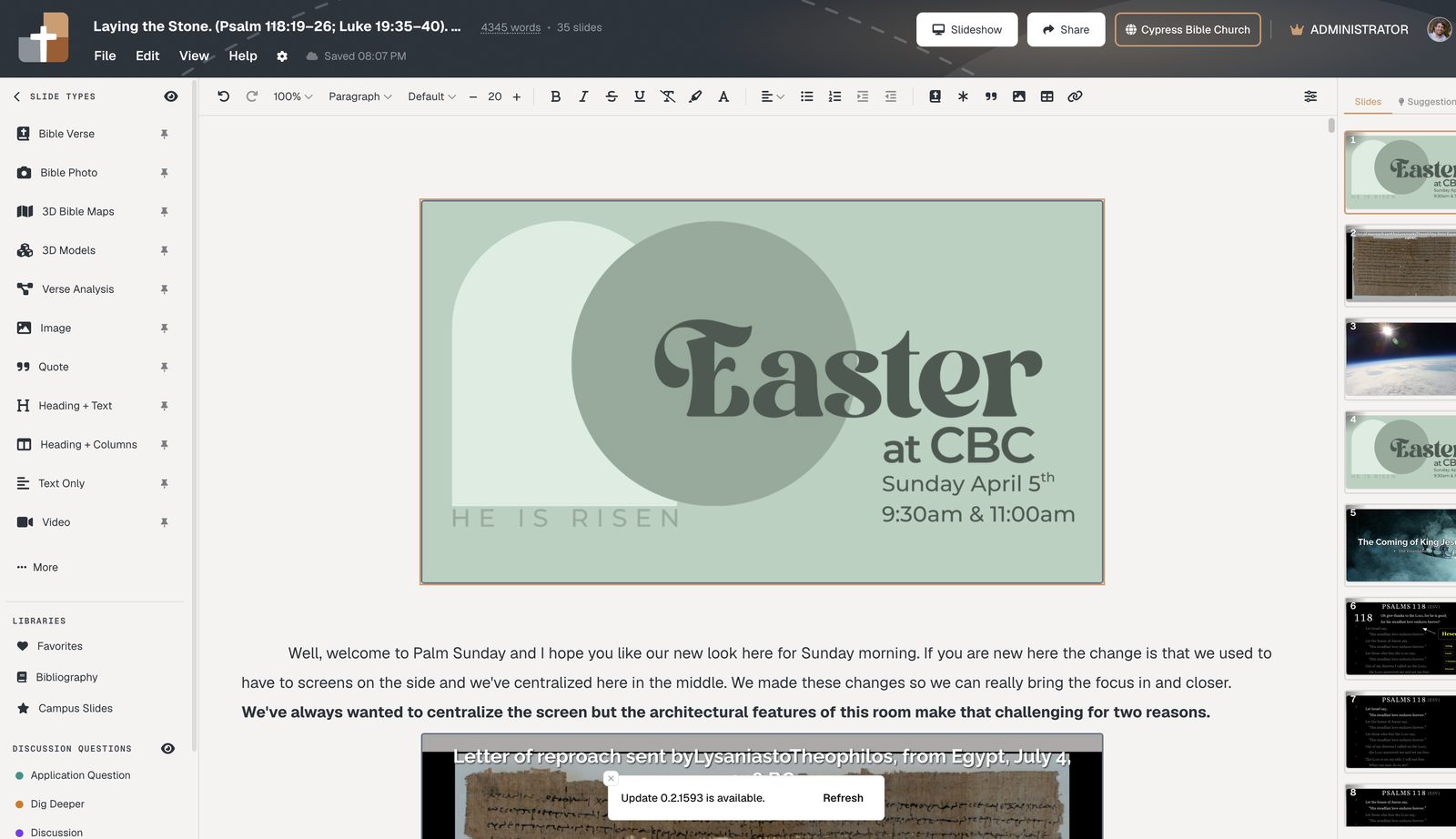
- Notes sit next to the slide — your cue to advance is where you’re already reading
Related guides
See BibleSlides features
Notes and slides in one document, Bible Verse slides, stepped markup, Verse Analysis, 3D maps, BiblePlaces photos, and tablet presenter apps — built for pastors who teach Scripture.