When the outline isn’t in the text: Verse Analysis for expository preaching
Expository sermons stall when three alliterated points don’t match the grammar. BibleSlides Verse Analysis slides put color-coded parts of speech on the sanctuary screen — stepped, tied to the verse, advanced with your notes.
A familiar Tuesday-night trap in expository prep: the passage is a single complex sentence (Paul, Hebrews, a Gospel “therefore”), and the outline you sketched is three neat headings that do not follow the syntax. By Sunday the congregation hears a topical talk with a verse attached.
The fix is not another study printout on the pulpit. The room has to see the structure at the moment you say, “Notice the main verb.”
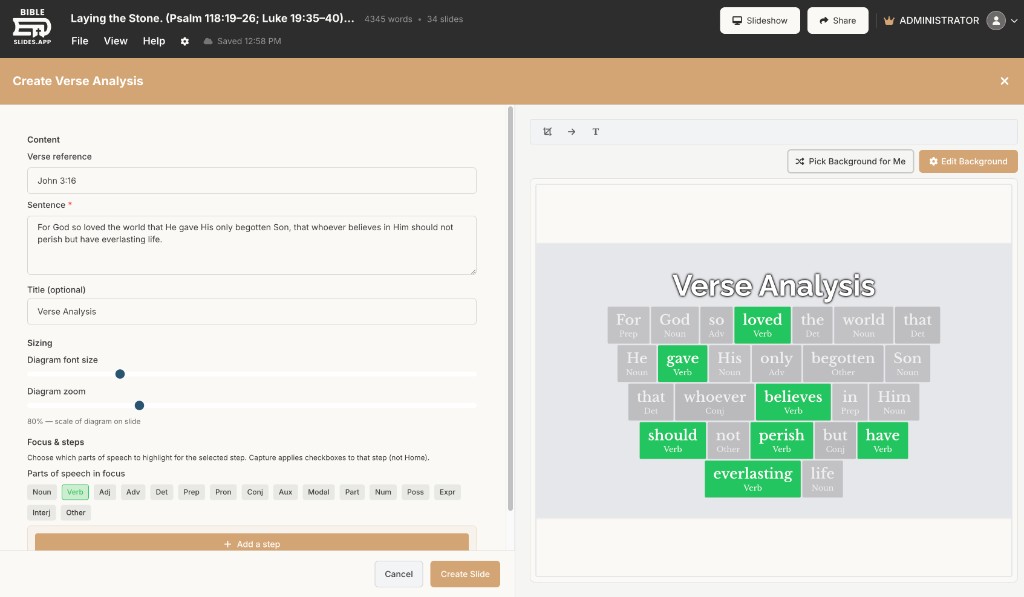
Verse Analysis is the BibleSlides slide for that beat — color-coded, word-by-word parts of speech on the verse you are preaching, advanced with your notes. It is not a Reed–Kellogg tree and not a second study app. It is a teaching slide in the same document as the Bible Verse text.
If the outline cannot be found in the grammar, it is not an exposition of this text. It is a talk near the text.
The pastor’s problem: you studied the sentence; they never saw it
Typical handoff:
- Color parts of speech or sketch a diagram in a notebook or Logos
- Simplify it into bullet slides so it “looks like church”
- Lose the subject–verb–modifier relationships that actually carried the point
Guests and students then cannot tell why point two came after point one. You can. They cannot.
What Verse Analysis actually is
In the create menu the slide is named Verse Analysis. You load a verse (and translation), and the words are color-coded by part of speech. Optional compare translation puts a second rendering beside the first so a wording difference is visible, not just asserted.
Steps narrow what is in focus: each advance can keep selected parts of speech highlighted and gray the rest — for example verbs first, then the purpose clause’s conjunctions, then the contrast. That is how you teach one relationship per click instead of dumping the whole color chart at once.
It pairs with, and does not replace:
- Bible Verse slides — the readable English text the room follows
- Definition slides — one lemma (English / Greek / Hebrew) when a single word carries the point
- Ω callouts on a verse slide — a brief original-language beat without a full analysis slide
For a fuller tour of analysis + definitions, see pastor teaching tools.
A pattern that keeps exposition honest
| Temptation | What happens in the room | Better move in BibleSlides |
|---|---|---|
| Alliterate three points first | Grammar gets retrofitted | Read the POS, then name the points |
| Show every color at once | Eyes glaze; you lecture over it | Step the focus; speak one relationship per click |
| Screenshot a study tool | Font and crop fight the projector | Native Verse Analysis slide, same theme as the verse slides |
| Skip the visual | Only seminary ears follow | Congregation sees nouns, verbs, and modifiers on the text |
Keep the Bible Verse slide as the home base. Use Verse Analysis when the argument of the sentence is the sermon’s hinge — not on every verse of a narrative.
Notes under the analysis
Put the spoken cue in the document under the slide: “Main verb is made alive — everything else hangs on that.” When you reorder the illustration later, the analysis slide moves with the notes. That is the same one-document model as notes + slides sermon prep.
How to add Verse Analysis this week
- Open next Sunday’s project in Projects
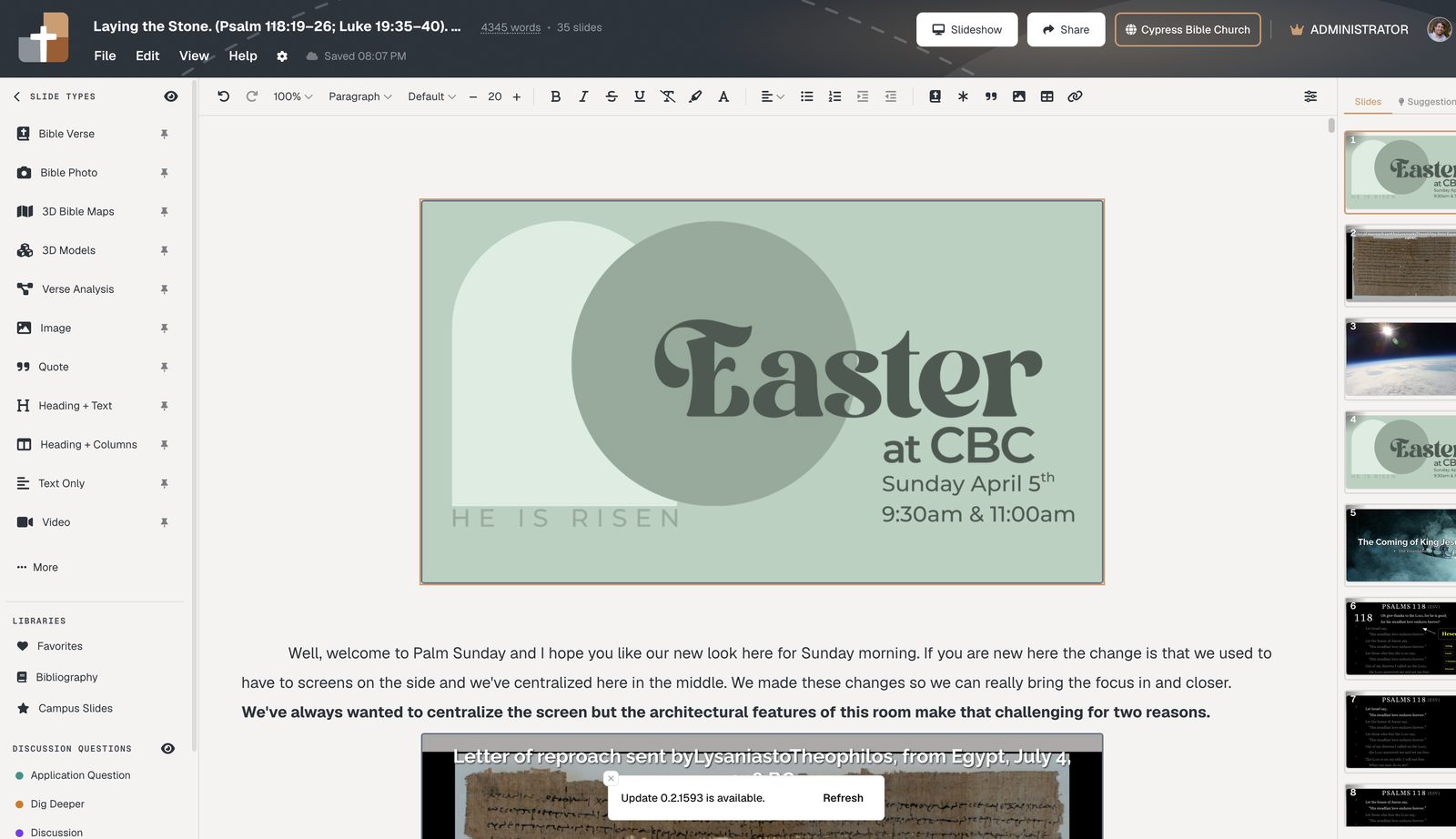
- Stay in the preaching verse; insert a Verse Analysis slide
- Confirm the verse reference and translation (add a compare translation only if you will say the difference out loud)
- Add steps that focus parts of speech in speaking order
- Rehearse the clicks once so you do not dump every color on the first advance
If one word still carries the point after the structure is clear, follow with a Definition slide — do not stack lexicon, analysis, and five highlights on a single click.
Related guides
See BibleSlides features
Notes and slides in one document, Bible Verse slides, stepped markup, Verse Analysis, 3D maps, BiblePlaces photos, and tablet presenter apps — built for pastors who teach Scripture.