Expository preaching: keep the room on the verse you’re actually explaining
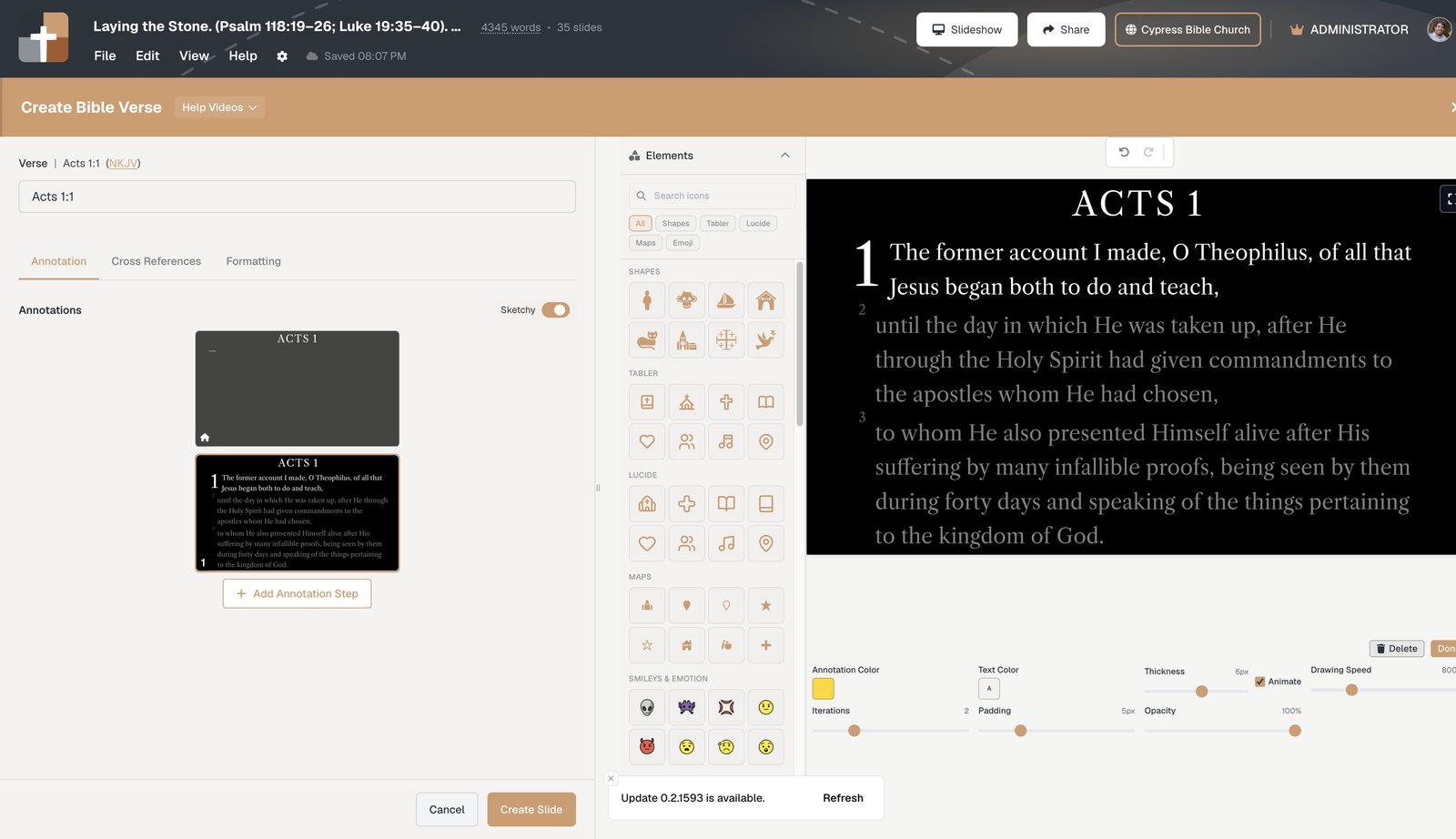
The expository problem isn’t finding the next verse — it’s the sanctuary seeing a whole chapter, or losing context in a 40-slide dump. Bible Verse slides dim surrounding text, step the pericope, and keep notes on the same document.
Expository preaching lives or dies on shared attention. You are walking a pericope in order. The congregation needs to see this clause, then the next, without losing the verses around it.
Most church slide tools give you two bad options:
- Paste the whole passage on one slide — unreadable from row twelve, and nobody knows which line you are on.
- One verse per PowerPoint slide — forty clicks, no surrounding context, and a volunteer who is always one verse behind.
BibleSlides is built for the third option: a Bible Verse slide that loads the reference, dims what you are not teaching yet, and advances the focus in sermon order.
Exposition is sequential. The screen should be sequential too — without throwing the rest of the paragraph off the projector.
The pastor’s problem: context vs. clarity
When you preach Ephesians 2:1–10, you need both:
- Clarity — “dead in trespasses” has to be visible the moment you say it
- Context — “but God” only lands if verse 4 still sits next to verses 1–3
Generic title-slide software cannot hold that tension. You either crop the text to a slogan or you flood the screen.
What Bible Verse slides do in an exposition
Type a reference and a translation (NKJV, NASB, CSB, KJV, NLT, and more via API.Bible). The slide is Scripture, not a text box you hope still fits the sanctuary projector.
Then you teach the way you already outline the passage:
- Dim surrounding verses so the active line carries the room
- Highlight, box, or label the phrase that carries the point — as a step, not a freehand pen
- Advance in speaking order from the tablet or booth; the congregation never has to guess which clause you mean
That is the difference between “I read the text and then talked” and “the sanctuary followed the argument of the text.”
Notes stay under the verse you are in
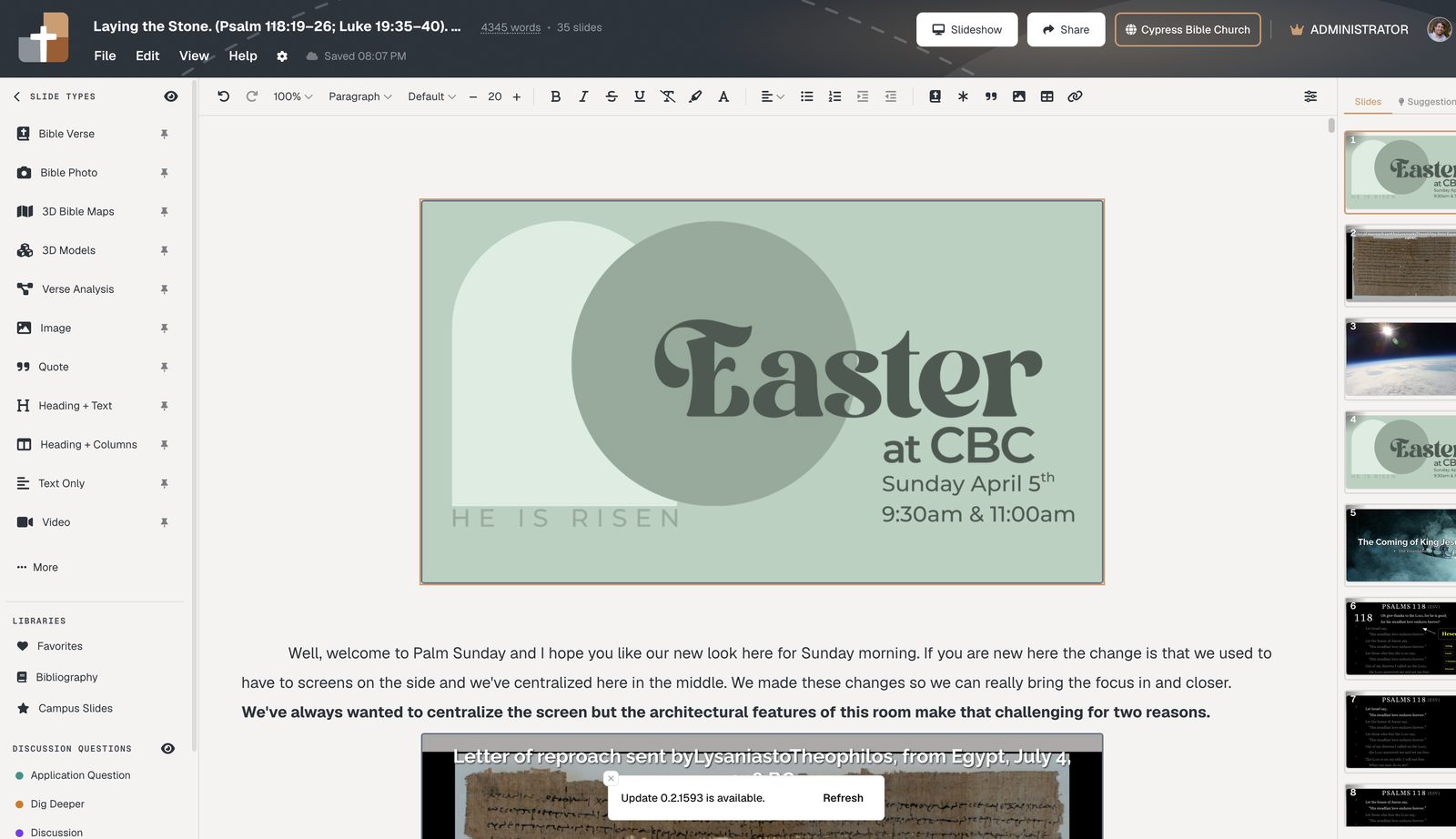
Expositors already write sequential notes: verse, explanation, illustration, next verse. In BibleSlides those notes sit in the same scrolling document as the slides. When you move the illustration, the verse slide moves with it. You are not maintaining a Word file and a deck that drifted apart on Thursday.
A Sunday pattern that fits book studies
| Moment in the exposition | What the room should see | BibleSlides |
|---|---|---|
| Read the unit | Passage with enough context | Bible Verse slide, dim unused lines |
| Explain a phrase | That phrase marked | Annotation step (highlight / box / label) |
| Land the grammar | Structure, not a slogan | Verse Analysis |
| Move on | Next line, same pericope | Next step — not a new PowerPoint file |
How to set this up for next Sunday’s passage
- Open the project at Projects
- Insert a Bible Verse slide for the preaching text
- Dim everything except the first unit you will explain
- Add annotation steps in the order you will speak
- Put a one-line note under the slide: the sentence you say when you click
If the passage is long, rehearse once in practice mode so the click rhythm matches the exposition — not the other way around.
Related guides
See BibleSlides features
Notes and slides in one document, Bible Verse slides, stepped markup, Verse Analysis, 3D maps, BiblePlaces photos, and tablet presenter apps — built for pastors who teach Scripture.