
Sermon presentation software for Bible teachers — verse slides, not title slides
Sermon presentation software should put Scripture on the projector the way you preach it. BibleSlides: Bible Verse slides, stepped annotations, notes in the same document, and tablet advance for Sunday.
“Sermon presentation software” often means a PowerPoint template with a cross watermark, or a lyric engine asked to also show Bible verses. Title slides and three bullets can introduce a series. They cannot carry a book study.
BibleSlides is sermon presentation software built for Bible teachers — pastors, campus teachers, and small-group leaders who need the passage readable, stepped, and tied to the notes they’ll preach from.
The congregation should never have to guess which line of the chapter you’re on.
The presentation problem in exposition
When you preach a pericope, the screen has to solve two tensions at once:
- Clarity — this clause, right now
- Context — enough surrounding text that “therefore” still means something
Paste-the-whole-chapter fails the first. One-verse-per-PowerPoint-slide fails the second. Bible Verse slides load a reference and translation, dim what you’re not teaching yet, and advance focus in speaking order — with markup steps when a phrase needs a highlight, box, or label.
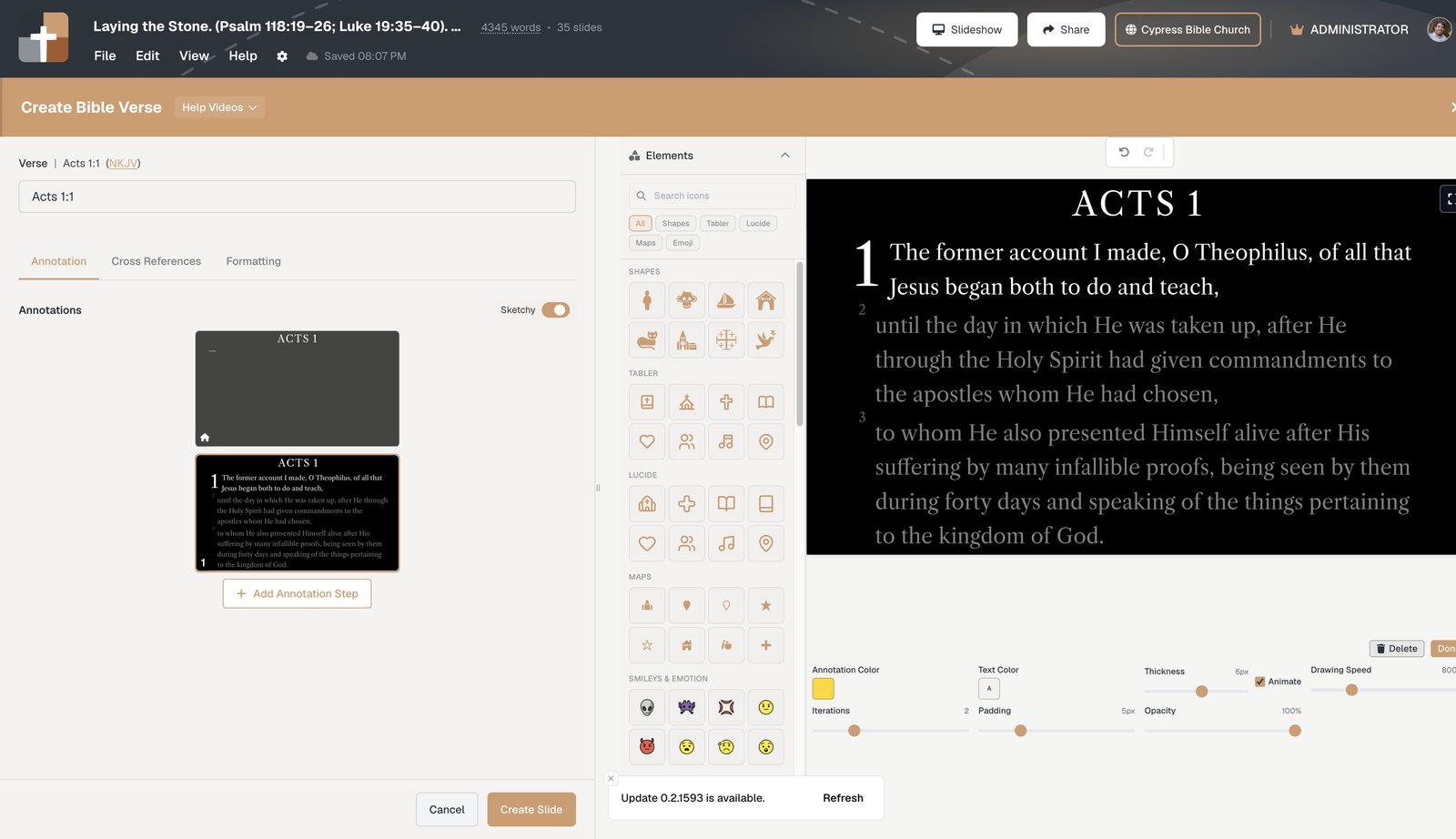
What belongs in sermon presentation software (for teachers)
| Job on Sunday | Lyric / announcement tools | BibleSlides |
|---|---|---|
| Show the preaching text | Text box / paste | Native Bible Verse slides + translations |
| Timed reveals on Scripture | Duplicate slides or pens | Stepped annotations on the verse |
| Notes match the deck | Separate Word file | Notes under slides in one document |
| Advance from the platform | Clicker only | Tablet presenter with notes and step chips |
| Hard-of-hearing / back row | Squint | Campus QR follow-along on phones |
| Geography / parallels | Stock images / paper charts | BiblePlaces, 3D maps, Gospel Harmony |
Keep ProPresenter (or similar) for worship production. Use BibleSlides when the job shifts from the next lyric line to the next verse — how the two stack.
Features teachers use every week
- One cloud project — media laptop and tablet open the same file; no “FINAL_v7” USB
- Teaching starter — scaffold opening, verse slides, outline points, and closing presets from a passage
- Practice mode — split projector + tablet rehearsal before the room arrives
- Verse Analysis & definitions — when grammar or a lemma is the teaching beat (guide)
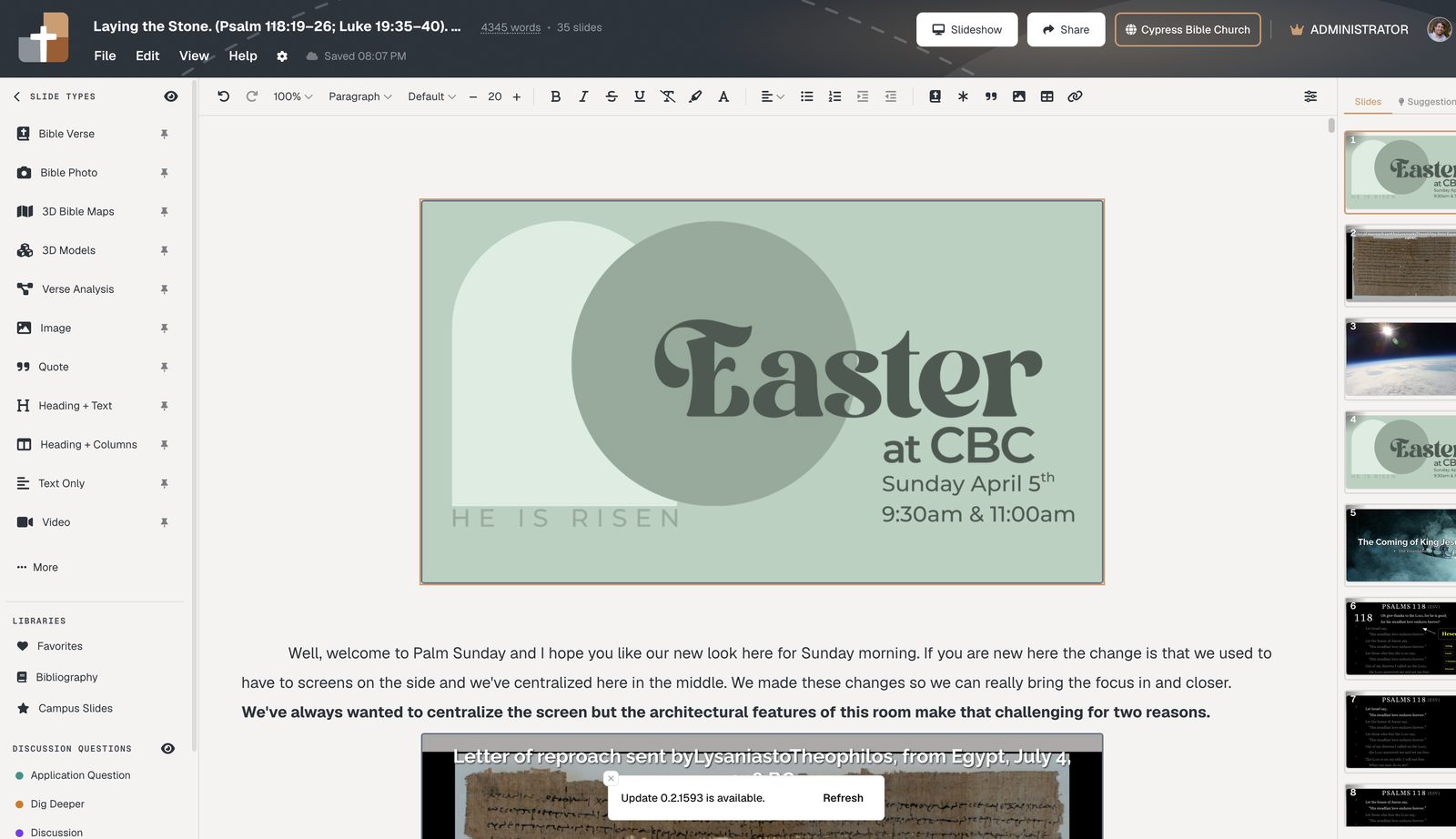
Try it on next Sunday’s passage
- Create a project at Projects
- Insert Bible Verse slides for the text you’ll preach
- Add only the annotation steps you’ll narrate out loud
- Present from the tablet or booth laptop on that same project
Related guides
See BibleSlides features
Notes and slides in one document, Bible Verse slides, stepped markup, Verse Analysis, 3D maps, BiblePlaces photos, and tablet presenter apps — built for pastors who teach Scripture.