Sermon slides on a tablet — preach with notes, timers, and one tap to advance
Sermon slides built for preaching from a tablet: tap to advance, draw on slides, step chips, % left, countdown timers, large-type notes, and Display Settings — so the sanctuary sees clean slides while you stay in control.
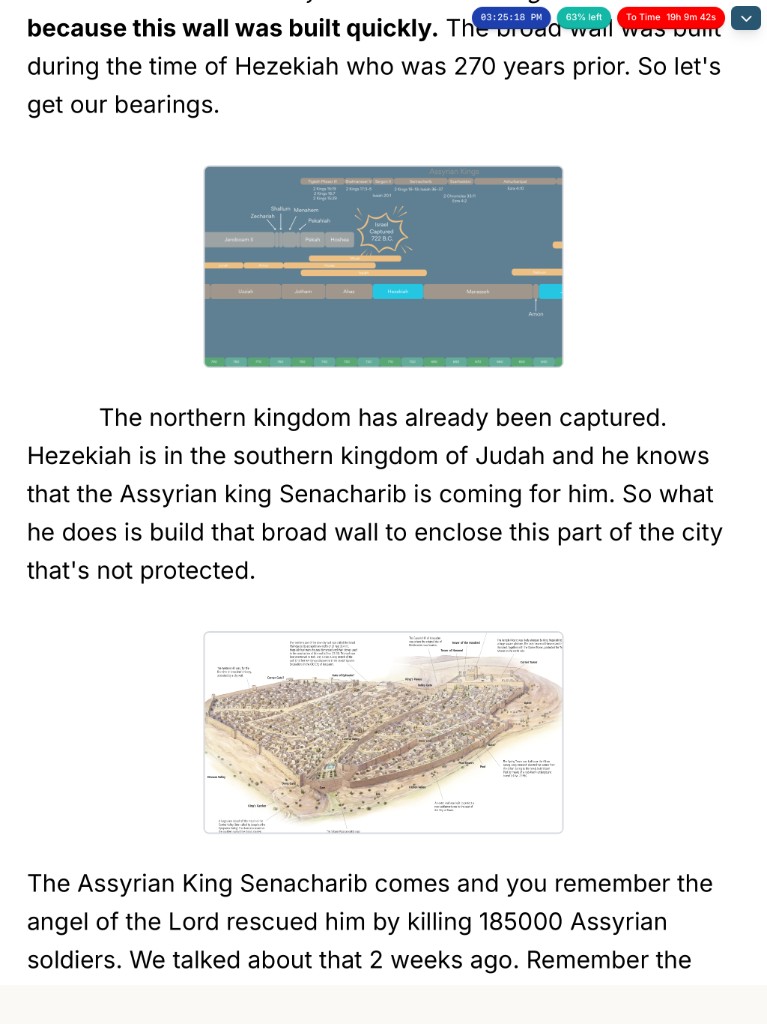
Sermon slides only help if Sunday is calm. The classic stack — Word notes, PowerPoint deck, clicker, printed outline that doesn’t match — breaks under pressure. BibleSlides puts sermon slides and speaker notes in one cloud document, then gives you a tablet presenter built for the platform: advance, draw, pace, and read without juggling devices.
The congregation should see sermon slides. You should see notes, the next step, and how much time you have left.
What “sermon slides on a tablet” means in BibleSlides
Native iPad, Android, Mac, and Windows tablet apps (or the browser tablet view) become your control surface. The booth laptop or AirPlay/HDMI output shows the clean house slideshow. You see:
- Interleaved notes under each slide
- Tap-to-advance on the slide (and numbered step chips for annotation reveals)
- Draw on slide when you need to circle a phrase live
- Header timers: clock, countdown, count-up, count-to-time
- Document progress (% left) so you know how much of the deck remains
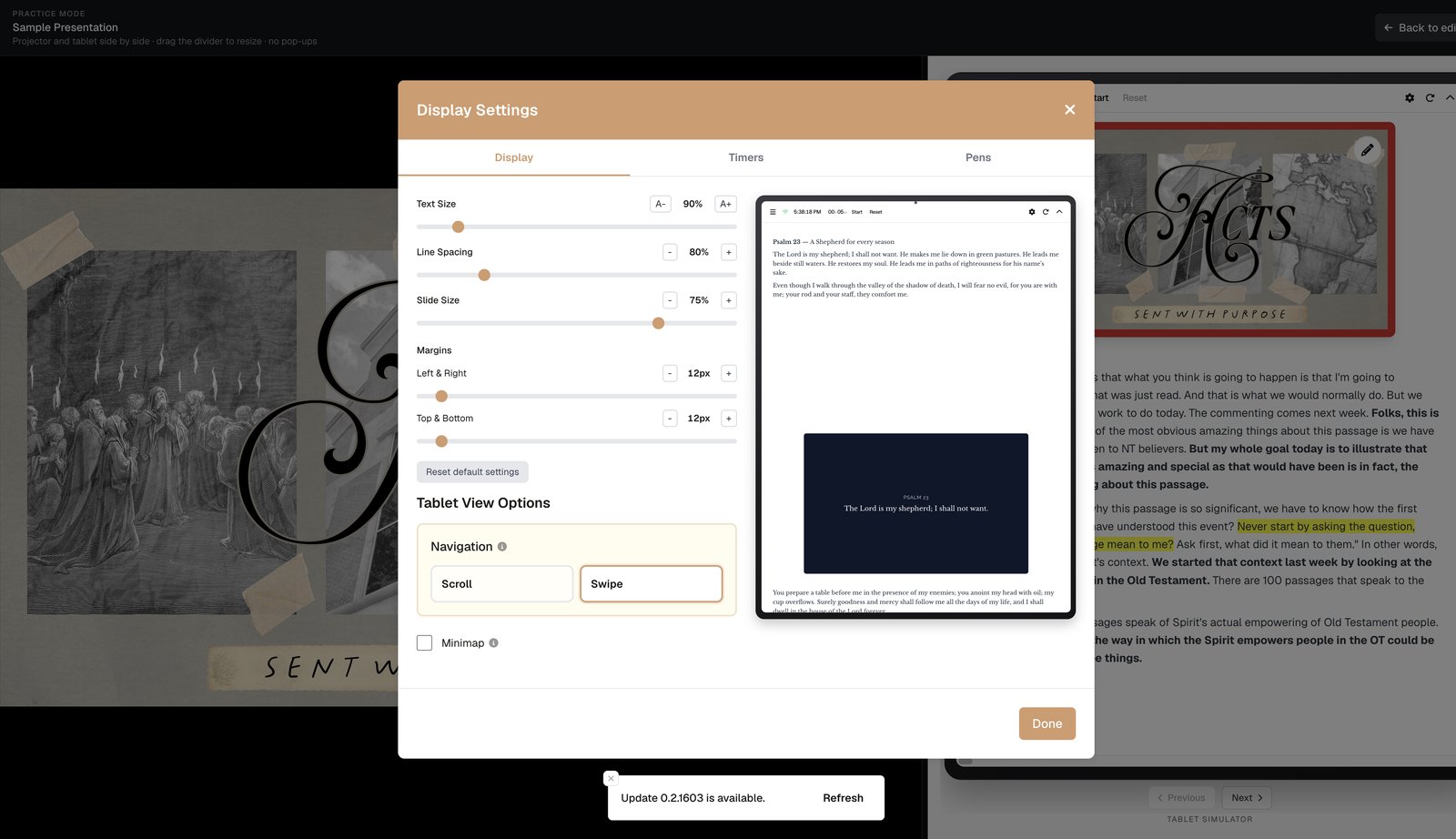
- Display Settings: text size, line spacing, slide scale, margins — large type at arm’s length
Feature map for preaching Sunday
| Need on the platform | Tablet feature |
|---|---|
| Advance the next sermon slide | Tap the slide |
| Advance a highlight / annotation beat | Tap step chips (1: focus, 2: Highlight +1, …) |
| Circle a word mid-point | Draw on slide (pen toolbar; syncs to projector) |
| Read notes without squinting | Text Size, Line Spacing, Margins in Display Settings |
| Stay on time | Countdown, Count to Time, Count Up, Clock |
| Sense how much deck is left | Document progress (% left) |
| Quiet tech alert | Security messaging on tablet only |
| Rehearse without a booth | Practice mode (projector + tablet side by side) |
| Bad sanctuary Wi‑Fi | Make available offline (with honest limits on new lookups/media) |
How sermon slides stay tied to your manuscript
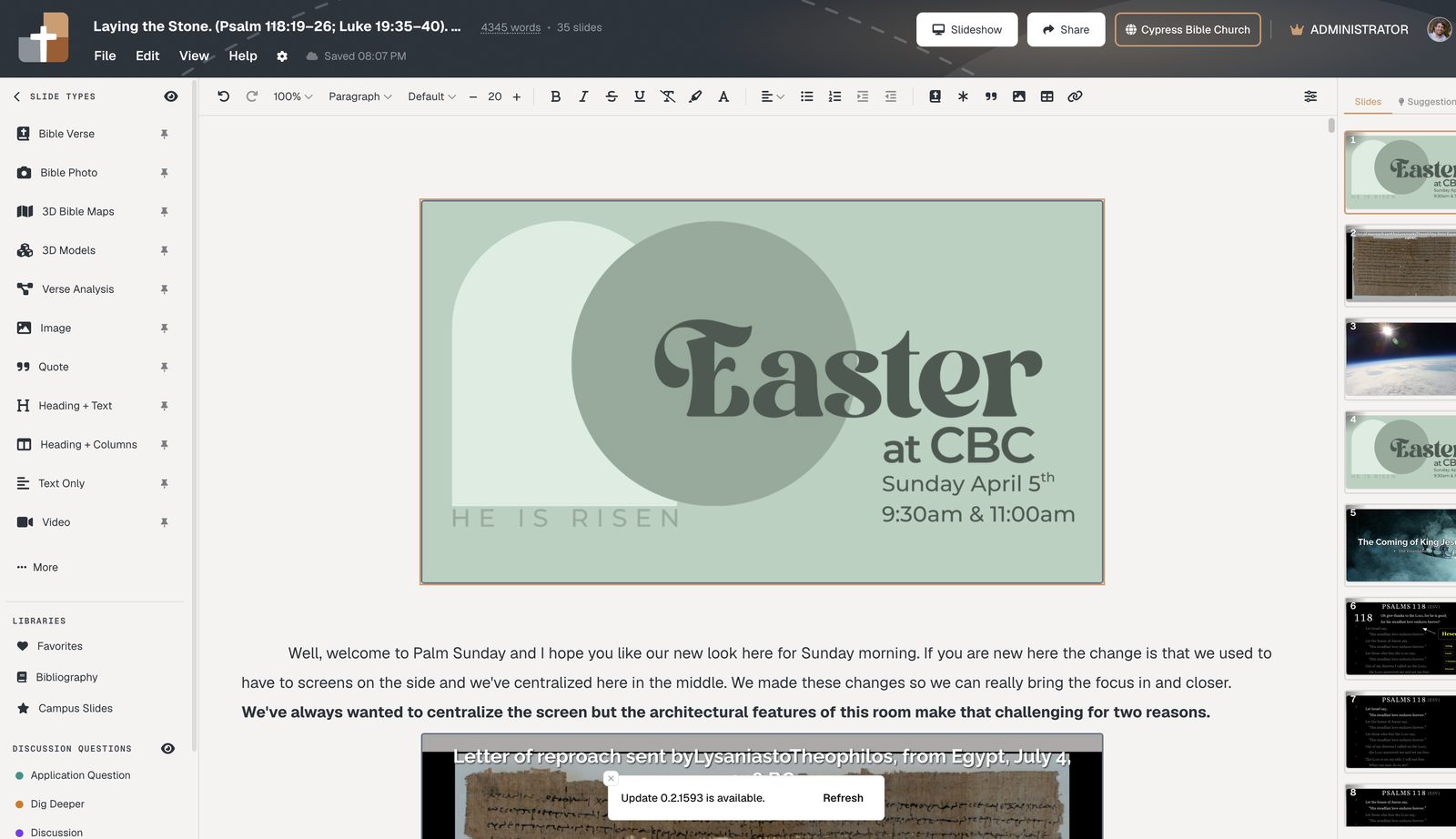
You don’t rebuild a separate “presenter view.” The same project you edit on laptop — verse slides, bible markup steps, photos, maps — opens on the tablet. Reorder a section midweek and the slide moves with the notes. Sunday opens the latest cloud version, not last week’s USB file.
A calm Sunday flow
- Finish the deck on laptop (or Teaching starter)
- Set Display Settings once for your venue (size + which timers show)
- Optional: run Practice mode once
- Booth: Launch Slideshow · Connect Tablet (QR) — or AirPlay/HDMI from the tablet
- Preach: tap to advance, use step chips for reveals, draw only when it helps
- Glance % left and countdown instead of your watch
Keep ProPresenter (or similar) for worship lyrics; use BibleSlides for the sermon slides block — see BibleSlides and ProPresenter.
Start this week
Open Projects → Create or open Sunday’s teaching, insert sermon slides where the text needs to be seen, then open the tablet app and connect. For a deeper dive on pacing tools, see tablet timers and % left. For tap, draw, and display setup, see advance and draw sermon slides from a tablet.
Related guides
See BibleSlides features
Notes and slides in one document, Bible Verse slides, stepped markup, Verse Analysis, 3D maps, BiblePlaces photos, and tablet presenter apps — built for pastors who teach Scripture.