Venn diagram sermon slides — compare and contrast faith, law, and covenant
When two truths belong together, put the overlap on the screen. BibleSlides Venn Diagram draws two, three, or four circles beside the verse you teach.
James 2 beside Romans, law and grace, the two covenants, Matthew and Mark and Luke on the same event — compare-and-contrast Sundays stall on a simple question: what do these share, and what stays distinct? A margin sketch helps you on Tuesday. The third row still hears “both/and” and sees a bullet list.
BibleSlides Venn Diagram is the slide type for that beat. Name the circles, put a short phrase in the overlap, and leave the diagram up while you teach the passage. The whole figure is one slide. It does not reveal labels one at a time.
A comparison that only lives in your margin is still private. If the congregation cannot see which words belong to one side and which words sit in the middle, you are asking them to hold an overlap they cannot check.
How this differs from Gospel Harmony, Verse Analysis, and Chart
Gospel Harmony puts parallel references on screen for one event. Verse Analysis shows how the sentence is built. A Chart slide (bar, line, or pie) is for numbers. Venn Diagram answers overlap: two, three, or four named regions, and the words that belong where they meet.
| Need | Use |
|---|---|
| “Matthew adds this line; Mark is silent here” | Gospel Harmony |
| “What is the subject, and what modifies the verb?” | Verse Analysis |
| “How do these amounts compare?” | Chart |
| “Faith and works — what is shared, and what is not?” | Venn Diagram |
Same sermon document. Add a Venn Diagram when the relationship belongs on the screen, then go back to the verse.
The pastor’s problem: “they overlap” is not a slide
What usually happens:
- You say “the middle is Christ” and point at the air
- You paste two columns of bullets — no shared region the room can see
- You screenshot a study diagram — unreadable past the third row
None of that matches how you teach it: “This belongs to the law. This belongs to grace. This phrase is where Paul will not let you split them.” The room needs those three places, then the text again.
What Venn Diagram is
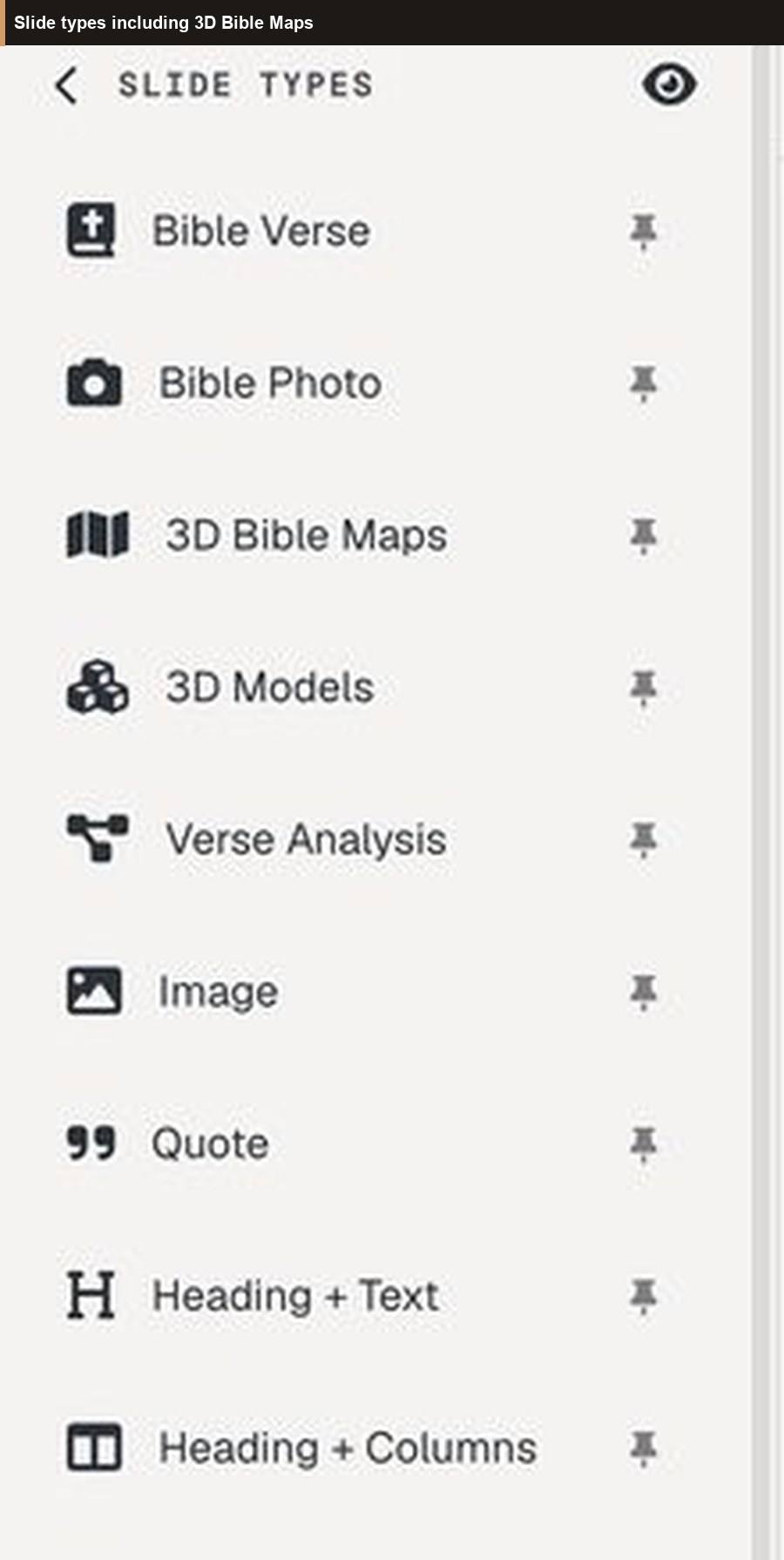
In the editor, the sidebar heading is SLIDE TYPES, with the hint “Click a type to add a new slide.” Choose Venn Diagram. The catalog description is “Create a Venn diagram with 2, 3, or 4 circles.”
It is not in the default pinned row (Bible Verse, Bible Photo, maps, and the other pins). If you do not see it, open More slide types. That dialog reads: “Click on any slide type to open it. Use the pin button to add or remove slide types from the sidebar menu.” The shortcut is Ctrl+Shift+K on Windows and Linux, Cmd+Shift+K on a Mac.
The modal title is Create Venn Diagram. Two tabs: Write (where it opens) and Suggested. The submit button reads Create Slide. A header control titled “Reset all settings to defaults” restores the opening example.
A new slide is already filled with that example:
| Field | Opening example |
|---|---|
| Title (Optional) | Faith and Works |
| Subtitle (Optional) | James 2:14–26 — faith without works is dead |
| Diagram Type | 2 Circles |
| Circle 1 / Circle 2 | Faith / Works |
| Overlap | saved, by, grace — one word on each line |
If every circle label is blank, Create Slide stops with “Please enter at least one circle label.”
Circles, labels, and the overlap
Diagram Type is 2 Circles, 3 Circles, or 4 Circles. There is no list of items inside a circle. Each circle and each overlap gets one label. A line break stacks words — that is how Faith and Works reads as three short lines. Keep them short.
2 Circles sit side by side, with one field: Overlap Label (Optional). 3 Circles sit in a triangle (Circle 1 upper left, Circle 2 upper right, Circle 3 below). Overlaps are AB, AC, BC, and ABC. 4 Circles sit in a square (1 upper left, 2 upper right, 3 lower left, 4 lower right). Overlaps are AB, AC, AD, BC, BD, CD, and ABCD in the center. There is no three-circle field inside a four-circle diagram.
A blank circle still draws, labeled Set 1, Set 2, Set 3, or Set 4. A blank overlap is not drawn. Circle Size starts at 100% (range 50–200%); larger circles overlap more. Label color and size appear once that label has text. Circle fills follow the sermon theme, so the overlap reads darker — you do not pick a fill per circle. Title, subtitle, and background use the same style controls as other slides.
The label placeholder says markdown is supported. On the projector the words are plain text. A line break is what shows up.
Suggested diagrams
Suggested is the second tab. The panel reads: “Venn diagrams for passages that compare overlapping ideas — faith and works, law and grace, Jew and Gentile in Christ, and similar themes. Pick one to preview on the right.”
When the document has a name, the panel shows “Sermon:” and that name. Cards that match Bible verse slides in the deck — or the presentation’s scripture field — rise to the top, marked “In your deck.” A count line reads like “2 suggestions match verse slides in your deck.” The preview button is Use this diagram. It copies the title, subtitle, circle count, and labels onto Write. You still press Create Slide.
The first time you open a modal with a Suggested tab, a tip can point at it: “Try Suggested.”
These twelve are the whole catalog. The words are what the slide is filled with. Change an overlap when your sentence is the text’s sentence, not the card’s summary.
| Suggested name | Circles and overlap | Passage on the card |
|---|---|---|
| Faith and Works | Faith · Works · “saved / by / grace” | James 2:14–26 |
| Law and Grace | Law · Grace · “through / faith in / Christ” | Romans 3:21–31 |
| Love God & Love Neighbor | Love God · Love Neighbor · “Law & / Prophets” | Matthew 22:37–40 |
| Grace and Truth | Grace · Truth · “Jesus / Christ” | John 1:14–17 |
| Flesh and Spirit | Flesh · Spirit · “life in / Christ” | Romans 8:1–11 |
| Old and New Covenant | Old Covenant · New Covenant · “better / promises” | Hebrews 8:6–13 |
| Jew, Gentile, One Body | Jew · Gentile · In Christ · center “One Body” | Ephesians 2:11–22 |
| Spirit, Soul, and Body | Spirit · Soul · Body · center “whole / person” | 1 Thessalonians 5:23 |
| Prophet, Priest, and King | Prophet · Priest · King · center “Christ” | Hebrews 1–10 |
| Justice, Mercy, and Humility | Justice · Mercy · Humility · center “with / God” | Micah 6:8 |
| Heart, Soul, Mind, and Strength | Heart · Soul · Mind · Strength · center “Love / God” | Mark 12:29–30 |
| Word and Spirit | Word of God · Holy Spirit · “sword of / the Spirit” | Ephesians 6:17 |
Matching is by book and chapter on verse slides and the presentation’s scripture field, not by a keyword in your notes. One chapter can light up more than one card: Hebrews 8 suggests both Old and New Covenant and Prophet, Priest, and King; Romans 7 and Galatians 5 suggest both Law and Grace and Flesh and Spirit. James 2 is Faith and Works. Matthew 22, Mark 12, and Luke 10 can suggest both commandment diagrams; Deuteronomy 6 suggests only the four-circle one. Deuteronomy 6:5 does not say “mind” — switch to 3 Circles and drop Mind if that is the text. On Jew / Gentile / In Christ, the overlap outside Christ is blank, Near sits on each with In Christ, and One Body is the center (Ephesians 2:13–16). The other three-circle diagrams put the shared phrase only in the center.
Worked examples
James 2. Leave the opening diagram, or choose Faith and Works. The overlap “saved / by / grace” is the preset’s summary. James’s line is that faith without works is dead (James 2:17, 2:26). Replace the overlap if that sentence is what you will say, then let the verse slides carry the chapter. Law and Grace is a separate slide for Romans 3:21–31 (overlap “through / faith in / Christ”), not a second diagram on the same point.
Hebrews 8. Old and New Covenant. Subtitle: “Hebrews 8:6 — a better covenant.” Overlap: “better / promises.” Show it, then return to Hebrews 8, which quotes Jeremiah 31. Save Prophet, Priest, and King for the Sunday when the point is the three offices.
Write, when Suggested does not have the point. Synoptic Gospels: 3 Circles, Matthew / Mark / Luke, shared phrase in ABC (for example “the same event”), pairwise overlaps blank unless you will name what only two Gospels share. The slide does not look up parallels — that is Gospel Harmony. Peter and Paul: not a preset. Galatians 2:7–9 — gospel to the circumcised and to the uncircumcised, and the right hand of fellowship. 2 Circles, title “Peter and Paul,” subtitle “Galatians 2:7–9,” overlap “one gospel,” then the verse.
Sunday: one slide, not a sequence
Venn Diagram has no steps. There are no pills and no second slide that adds the overlap later. Projector and tablet show the same figure. Speaker notes stay in the document under that slide. Advance to the diagram, say what each circle is and what the overlap is, then advance to the passage.
If the point has to arrive one line at a time, use the verse slide’s own steps, or an outline. The circles do not build themselves.
Free, and the slide limit
Venn Diagram can be added on the Free plan. It is not in the insert gate that blocks Bible photos, 3D maps, Family Tree, Ancient Units, and 3D models. New accounts include 30 days of Premium with no card. After that, Free still includes this slide type.
Free still limits a presentation to 7 slides and the account to 3 presentations, and a watermark is added to slides. A compare-and-contrast beat is one of those seven, next to the verses. See the Free plan write-up.
A quiet Sunday workflow
- Decide whether the room needs the relationship as much as the next verse.
- Add a Venn Diagram from SLIDE TYPES, from More slide types, or with Ctrl+Shift+K (Cmd+Shift+K on a Mac).
- On Suggested, pick a diagram that matches the passage — or stay on Write and type the circles.
- Read the overlap out loud. Replace a preset phrase when you need the text’s own words.
- Use the fewest circles the passage names. Leave pairwise overlaps blank when you have nothing true to put there.
- Keep speaker notes under the slide. On Sunday, show the diagram once, then return to the Bible Verse slide.
When to leave it closed
- The verse already on screen carries the comparison, and your notes are enough for you
- You need parallel Gospel citations — Gospel Harmony
- You need grammar — Verse Analysis
- You need a measure (talent, cubit, denarius) — Ancient Units
- You need who is related to whom — Family Tree
- You need a sketch — Board
BibleSlides stays a quiet servant: Scripture first, the overlap when it serves the Word, then out of the way.
FAQ
Does it reveal one circle at a time?
No. The whole diagram is one slide. Each region holds one label; a line break stacks short rows, as in “saved / by / grace.”
Will a James 2 deck suggest Faith and Works?
Yes. Matching is book and chapter. The card shows “In your deck.” Press Use this diagram, then Create Slide.
Is the overlap a Bible quotation?
Sometimes it tracks the verse (“better promises,” Hebrews 8:6). Sometimes it is a summary (“saved by grace” on James 2). Change it when you need the text’s own words.
Tablet and Free?
The tablet shows the same diagram. Adding the slide is included on Free, inside the 7-slide limit. See the tablet presenter guide.
Try it on the passage you are already teaching
Open the sermon and put one overlap on the screen — Faith and Works for James 2, Law and Grace for Romans 3, Old and New Covenant for Hebrews 8, or a Write diagram for Peter and Paul in Galatians 2. Then go back to the verse. The circles serve the sentence you came to preach.
Related guides
See BibleSlides features
Notes and slides in one document, Bible Verse slides, stepped markup, Verse Analysis, 3D maps, BiblePlaces photos, and tablet presenter apps — built for pastors who teach Scripture.