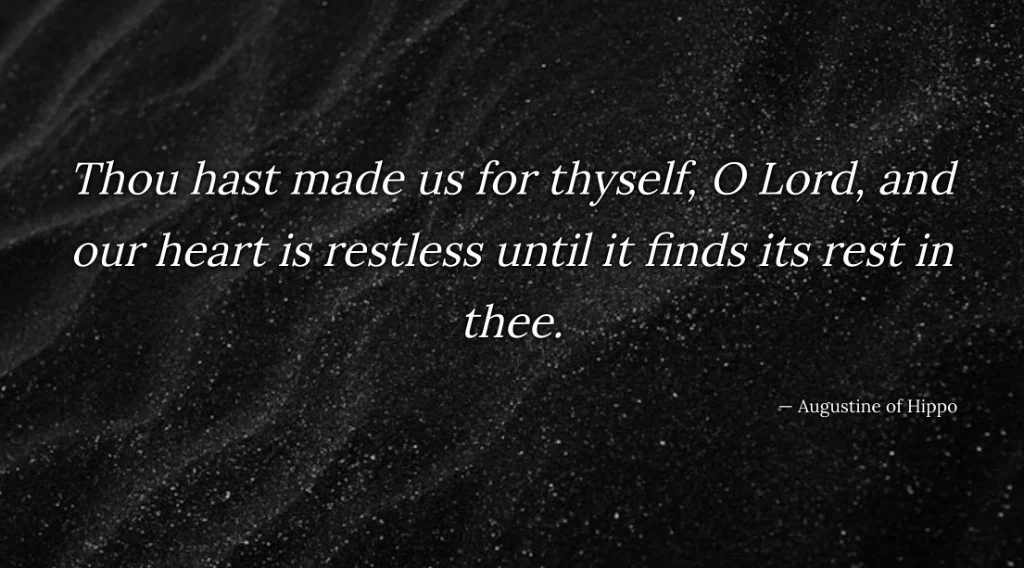
Put a trusted voice on the screen — Quote slides from catechisms and classic teachers
Search thousands of public-domain theologian quotes — catechisms, confessions, Spurgeon, Augustine, and more — then put a clean Quote slide on the projector while you teach the text.
Heidelberg asks, “What is thy only comfort in life and death?” Westminster asks, “What is the chief end of man?” Augustine prays, “our heart is restless until it finds its rest in thee.” You already know the line. The room still needs to read it — and a Logos screenshot, a phone note, or a paragraph typed from memory at 11 p.m. rarely survives the third row.
BibleSlides Quote is the slide for that beat. Write the words yourself, or search a public-domain library of catechisms, confessions, and classic teachers, then put one clean line on the projector beside the text you are teaching.
A quote that only lives in your study notes is still private. If the congregation cannot read the sentence you are leaning on, you are asking them to trust a voice they cannot see.
How this differs from the verse, a definition, and a markup
Verse Analysis shows how the sentence is built. Definition slides show what a word means. Annotations mark the phrase on the verse itself. A Quote slide is the moment a catechism answer, a confession line, or a sentence from Augustine, Calvin, or Spurgeon should sit where the room can read it — then leave.
| Need | Use |
|---|---|
| “What does this verse say, and how is it built?” | Bible Verse, then Verse Analysis when structure carries the point |
| “What does this word mean?” | Definition slides |
| “Mark the phrase while I say it” | Annotations |
| “Put this catechism answer or classic line on the screen” | Quote |
Scripture still leads. The quote supports the text you came to preach.
The pastor’s problem: a trusted line that looks like a footnote
What usually happens:
- You paste a screenshot from a study library or a PDF — small type, chrome around the edges, unreadable past the second row
- You type the line from memory and hope the wording is the one you meant
- You drop a wall of commentary on a slide and leave it up while you explain one sentence
You want one line the room can read, the name under it, and then the verse again.
What Quote is
In the editor, add a Quote slide from the slide type library. The template name is Quote, and the description is “A quote with optional author.” The modal title is Quote, with two tabs: Write and Quote search.
Write is for the line you already have. The fields are Quote and Attribution. Type your own words and the name that should sit under them. The library is optional.
Quote search is the public-domain library: about 6,900 lines from OpenChristianData — church fathers, structured texts, catechisms, confessions, and sermons. Names in the corpus include John Calvin, Martin Luther, Jonathan Edwards, Charles Spurgeon, Augustine of Hippo, John Owen, and John Bunyan, among others. The lines are public-domain selections, kept short enough to live on a slide.
All quotable, or Highly Quoted
Two chips sit above the search box:
| Chip | What you are browsing |
|---|---|
| All quotable | The wider library of pithy lines |
| Highly Quoted | 560 curated classics, plus catechisms and confessions |
Highly Quoted is the shorter shelf: Westminster Shorter and Larger Catechisms, the Heidelberg Catechism, Luther’s Small Catechism, the Nicene Creed, the Apostles’ Creed, the Belgic Confession, and other catechisms in the set, together with a small list of classic sentences (Augustine, Calvin, Luther, Edwards, Owen, Spurgeon, and others). Use it when you want a standard the congregation is likely to recognize. Use All quotable when you are hunting a particular author or a less familiar sentence that still fits.
The search field reads “Search grace, faith, Spurgeon…” Filter with All authors, or pick one name. Tap a result and BibleSlides fills the quote and the attribution, then returns you to Write. Tap More when the first page is not the line you want. A footer counts what is on screen, how many lines are highly quoted, and the library total.
When the search box is empty, lines that match this deck can appear first. BibleSlides looks at verse references already on the slides, plus the document’s scripture, title, topic, and series. A note tells you how many quotes match your deck or sermon passage. Type a keyword and your search takes over.
Read the line in its source before you preach it
On Quote search, Source opens the passage in the app. On Write, once the slide matches a library line, Read original source text does the same. The window is titled Read in context: the quote, then the surrounding public-domain passage with that sentence highlighted. Full text is there when you want the source page itself.
That context stays in your prep. The source link is for inspection. It is kept off the projector. Choosing a library quote fills the words the room will read — the quote and the attribution — and leaves the trail of the source in the modal.
A sentence you typed yourself keeps source context only when the wording matches a library line.
A new Quote slide can also preview a library line that fits the sermon’s verse and title while Quote and Attribution are still empty. That suggestion is chosen from quotes already in the pool. BibleSlides does not compose the sentence. Type your own line, or open Quote search and pick the one you mean. Search is the pastoral path. The preview is only a helper.
A quiet Sunday workflow
- Decide whether the room needs to see the catechism answer or the classic sentence, or whether your notes are enough for you.
- Add a Quote slide.
- Open Quote search. Start on Highly Quoted for a standard, or search a word you will actually say — grace, justification, providence, comfort.
- Narrow by author when you already know whose voice you want.
- Open Source and read the highlighted passage when you need to check the line before you preach it.
- Tap the result. On Write, shorten the attribution if the slide should show a briefer name. Adjust type, or a quiet background, only as far as the back row needs in order to read. The same tab can add reveal steps, in the family of other teaching text slides, when the line should arrive in pieces. One slide is enough for most Sundays.
- Keep the Bible Verse slide next to it. Advance the quote when you say the line, then return to the text.
What the room sees
One quote. One attribution. Type large enough for the back row. The study-tool chrome and the surrounding commentary stay in your prep.
The fathers, the catechisms, and the confessions belong beside the Word when they help the point. When the sentence has done its work, advance. Scripture is still the slide you came to preach.
When to leave Quote closed
- The verse already on screen carries the point, and the classic line is only for you — keep it in speaker notes
- You need the grammar of the sentence — Verse Analysis
- You need a lexicon gloss — a definition slide
- You need to mark a phrase on the verse itself — annotations
- You need a measure, a family line, or a timeline — those are their own slides: Ancient Units, Family Tree, Timelines
BibleSlides stays a quiet servant: Scripture first, a trusted voice when it serves the Word, then out of the way.
Related guides
See BibleSlides features
Notes and slides in one document, Bible Verse slides, stepped markup, Verse Analysis, 3D maps, BiblePlaces photos, and tablet presenter apps — built for pastors who teach Scripture.