Acts 2 Teaching Slides for Pentecost and Expository Sundays
Build Acts 2 teaching slides with verse-by-verse Scripture, speaker notes, maps, and tablet control — plus practice mode before Pentecost Sunday.
Acts 2 asks a lot of a preacher in a short stretch of text. Wind and fire. Languages. A crowd that is confused, then cut to the heart. Peter’s sermon that leans on Joel and the Psalms. If your Acts 2 teaching slides only show series titles and a stock flame graphic, the congregation may feel the energy and still lose the argument of the passage.
Expository teaching here means helping people stay inside Luke’s narrative and Peter’s citations. Put Acts 2:1–4 on the screen when you are in the upper-room moment. When you move to the crowd’s question, move the slide. When Peter stands in 2:14, let the room stand there with him — then open Joel in 2:17–21 so they can see the Scripture Peter is preaching, not only hear you summarize it.
BibleSlides keeps verse slides and sermon notes in one document. That matters on a chapter like Acts 2, where the outline is easy to invent and hard to keep honest. You study and mark the text; the sanctuary sees the same path. Teaching Starter can draft an opening structure from the passage; you keep what serves the text and cut what does not.
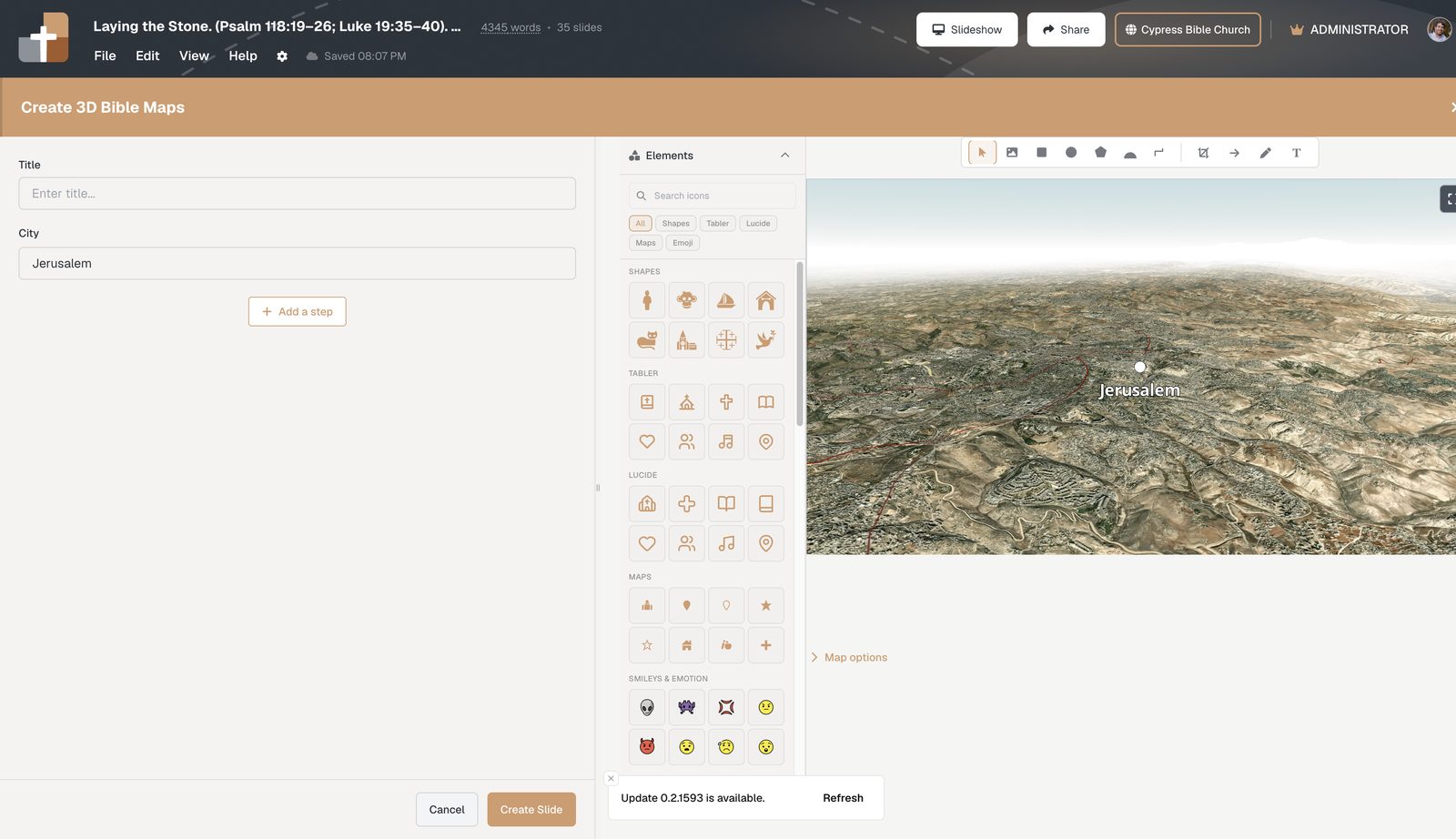
3D Bible maps and route tools help when you need to show Jerusalem, the nations listed in 2:9–11, or the wider arc of Acts without dropping a flat atlas screenshot that nobody can read from the balcony. Pair a map step with the verse that needs it, then return to the text. BiblePlaces photographs of Jerusalem and temple-area settings can ground the day of Pentecost in a real place — carefully, briefly, in service of the Word.
Because the chapter has gear changes, practice mode is more than a nice extra. Preach a pass with the tablet when the room is empty. Feel the jump from the Spirit’s arrival to Peter’s address. Notice where the click rhythm fights your sentence. Sunday should not be the first time you have walked that turn.
On the platform, tablet presenter apps keep your notes readable while the projector carries the Scripture. If you want phones in the pew to track with you, Campus QR follow-along keeps live Bible slides on the hand as well as the house. Planning Center churches can use the optional path toward Church Center publish; others simply share a Campus plan URL. Neither path replaces pastoral presence — they only keep the text close.
Acts 2 is not a fireworks cue list. It is Scripture about the Spirit and the preached Word. Teaching slides should sound like that: steady, clear, and tied to the verses you are actually opening.
FAQ
How do Acts 2 teaching slides handle long Old Testament quotations?
Keep Peter’s citations on screen as verse slides when you are in those lines, so the congregation sees Joel or the Psalm with him rather than only a paraphrase bullet.
Can I rehearse Acts 2 with the same deck I will use Sunday?
Yes. Practice mode is for preaching a pass with your real teaching document — projector rhythm and tablet advances — before the room arrives.
Is BibleSlides a replacement for my worship presentation software on Pentecost Sunday?
Typically no. Use your lyric/production tool for worship; use BibleSlides for the Acts 2 teaching deck. Integration depth with tools like ProPresenter is limited — plan a simple switch between worship and sermon.
Build your Acts 2 path with notes and verses together, run one practice pass, and teach with the text visible. Begin at bibleslides.app.
See BibleSlides features
Notes and slides in one document, Bible Verse slides, stepped markup, Verse Analysis, 3D maps, BiblePlaces photos, and tablet presenter apps — built for pastors who teach Scripture.