Help Center · Slide Types
Animated Number
A big number that counts, zooms, or slides into place.
Animated Number is one big figure — a count of books, people, days, or dollars — with a short line of text under it. The number moves when the slide appears.
Where to find it
More slide types → Animated Number. The window is Create Animated Number.
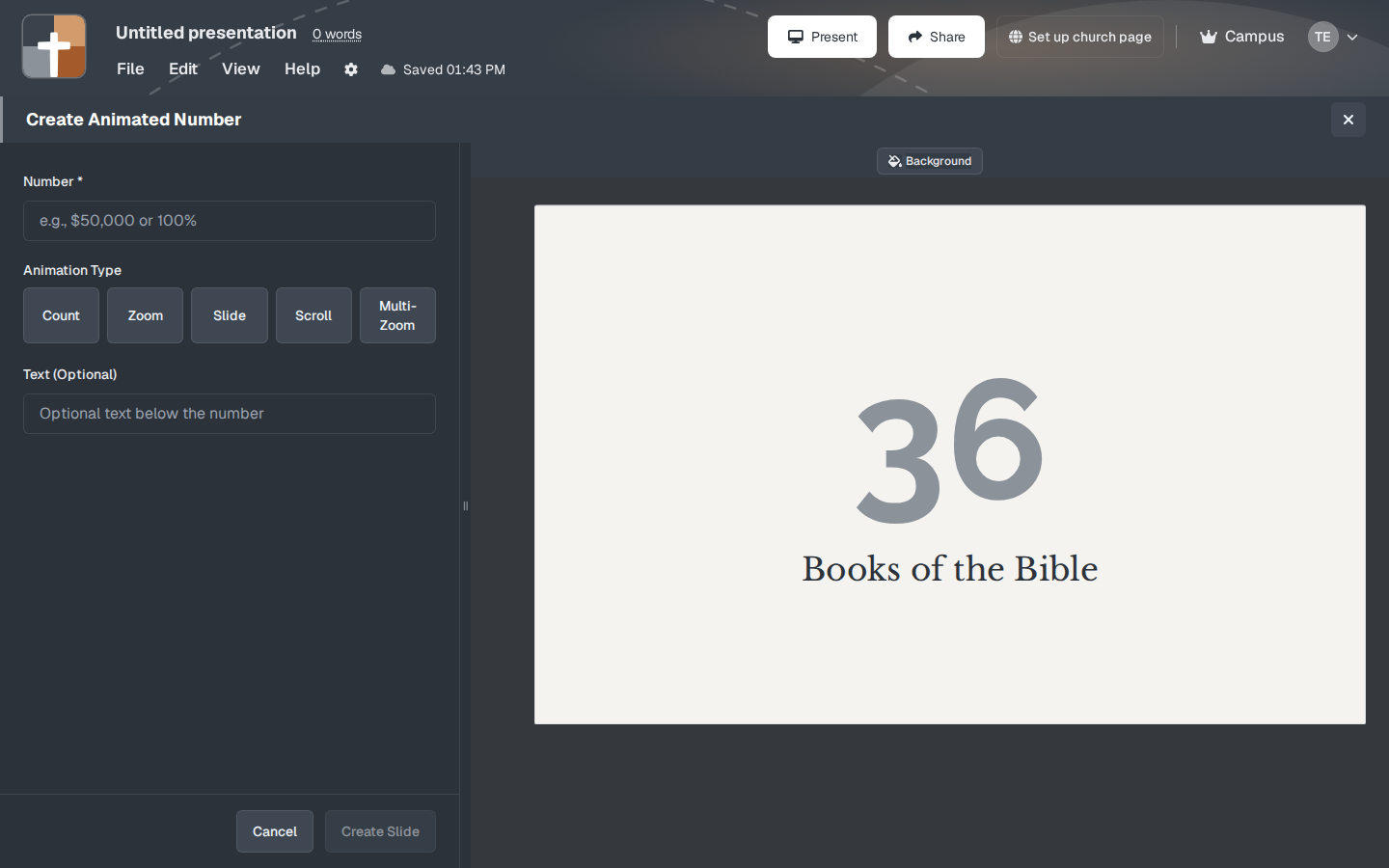
The setup window
- Number — required. This is the figure on the slide.
- Its size starts at 200%.
- Animation Type — Count, Zoom, Slide, Scroll, or Multi-Zoom. Count rolls the number up. The others move the digits onto the screen.
- Text — optional words under the number, such as “Books of the Bible.” Size starts at 100%.
- Background, then Create Slide or Cancel.
The preview uses a large number with “Books of the Bible” underneath. The catalog card shows the same idea. Replace both the number and the line so the slide matches your point. A number without a label is a puzzle. A label without a number belongs on a Text Only slide.
While you present
Count is the right animation when the size of the number is the surprise (how many years, how many people). Zoom or Slide is enough when the number is already known and you only need it to arrive cleanly. Do not stack five animated numbers in a row. One figure, then back to the text.
Plans
Animated Number is on Free. It does not show a crown. Free still limits the deck to 7 slides and 3 presentations, with a watermark, after the 30-day trial.