Help Center · Slide Types
Venn Diagram
Two, three, or four overlapping circles.
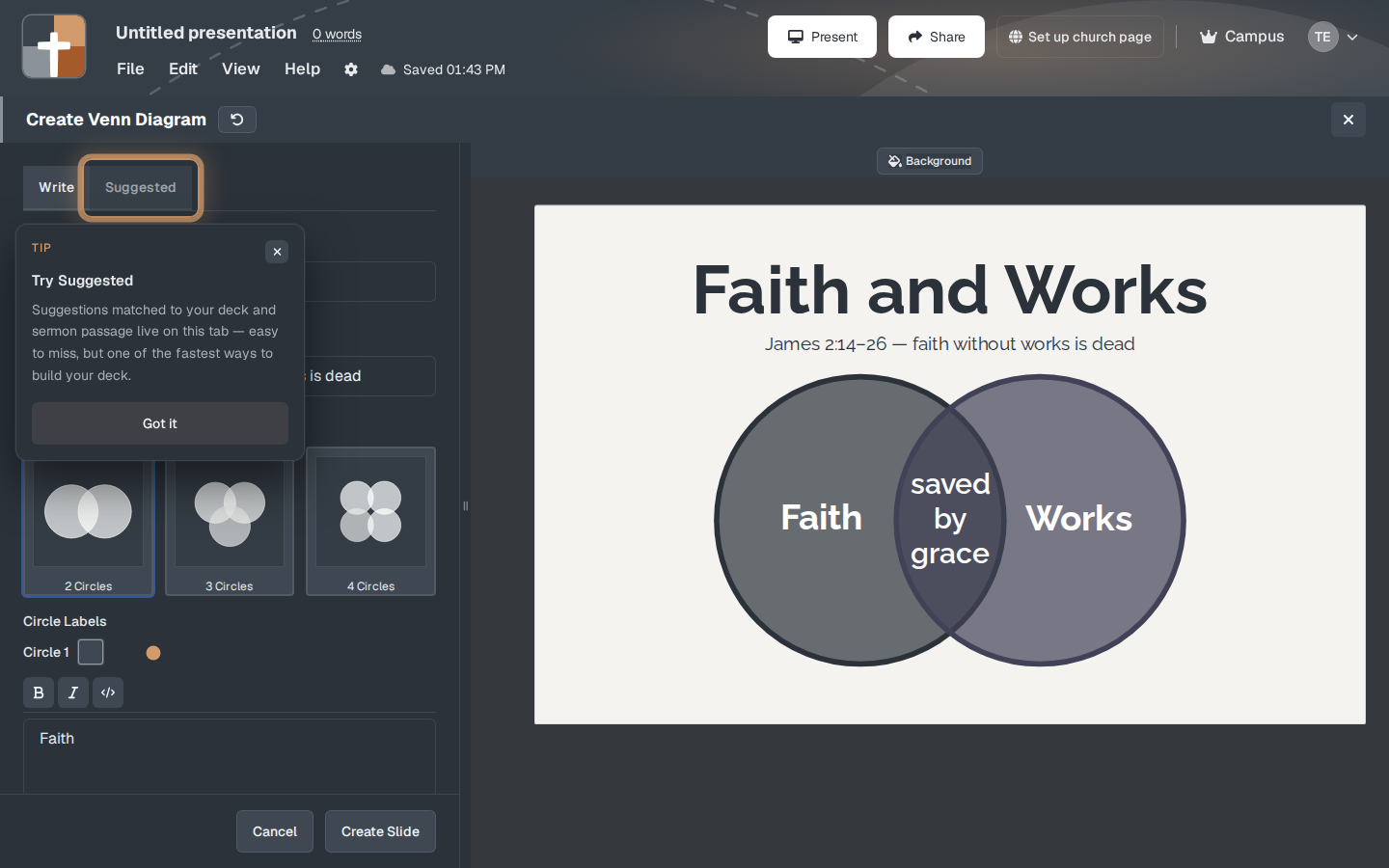
Venn Diagram is overlapping circles. Two circles compare a pair. Three or four circles compare a larger set. A sample in the catalog is “Faith and Works,” with James 2:14–26 under the title and the overlap labeled as the place the two meet.
Where to find it
More slide types, unless you pin it. The window is Create Venn Diagram.
A tip can appear the first time, titled along the lines of Try Suggested: suggestions matched to your deck and sermon passage live on the Suggested tab. Got it closes the tip. Suggested offers a starting diagram. The other side of the window is where you build your own.
The setup window
- Choose 2 Circles, 3 Circles, or 4 Circles.
- Title and Subtitle are optional. The faith-and-works sample uses a scripture line as the subtitle.
- Each circle has a label. The overlap has its own label — that middle word is usually the point of the slide.
- Colors and type size can be set per label.
- Create Slide adds the diagram. Cancel closes it.
Start with two circles. Four circles are hard to read from a pew.
While you present
Name the circles out loud before you explain the overlap. If you only need the overlap, still say what the two sides are, or the middle word has nothing to sit between.
Plans
Venn Diagram is on the Free plan. No crown. The usual Free limits apply after the trial: 7 slides, 3 presentations, a watermarked slideshow.