Help Center · Slide Types
3D Bible Maps
A terrain map you pin, travel, and look around.
3D Bible Maps is a terrain map on the slide. You drop a pin, then add a travel or a look so the map can move while you teach. The window captured here opened on Jerusalem and showed Loading map… at 5% while the terrain came in.
Where to find it
Pinned for new accounts, near the top, after Bible Photo. The window is Create 3D Bible Maps. On Free, a crown sits on the row.
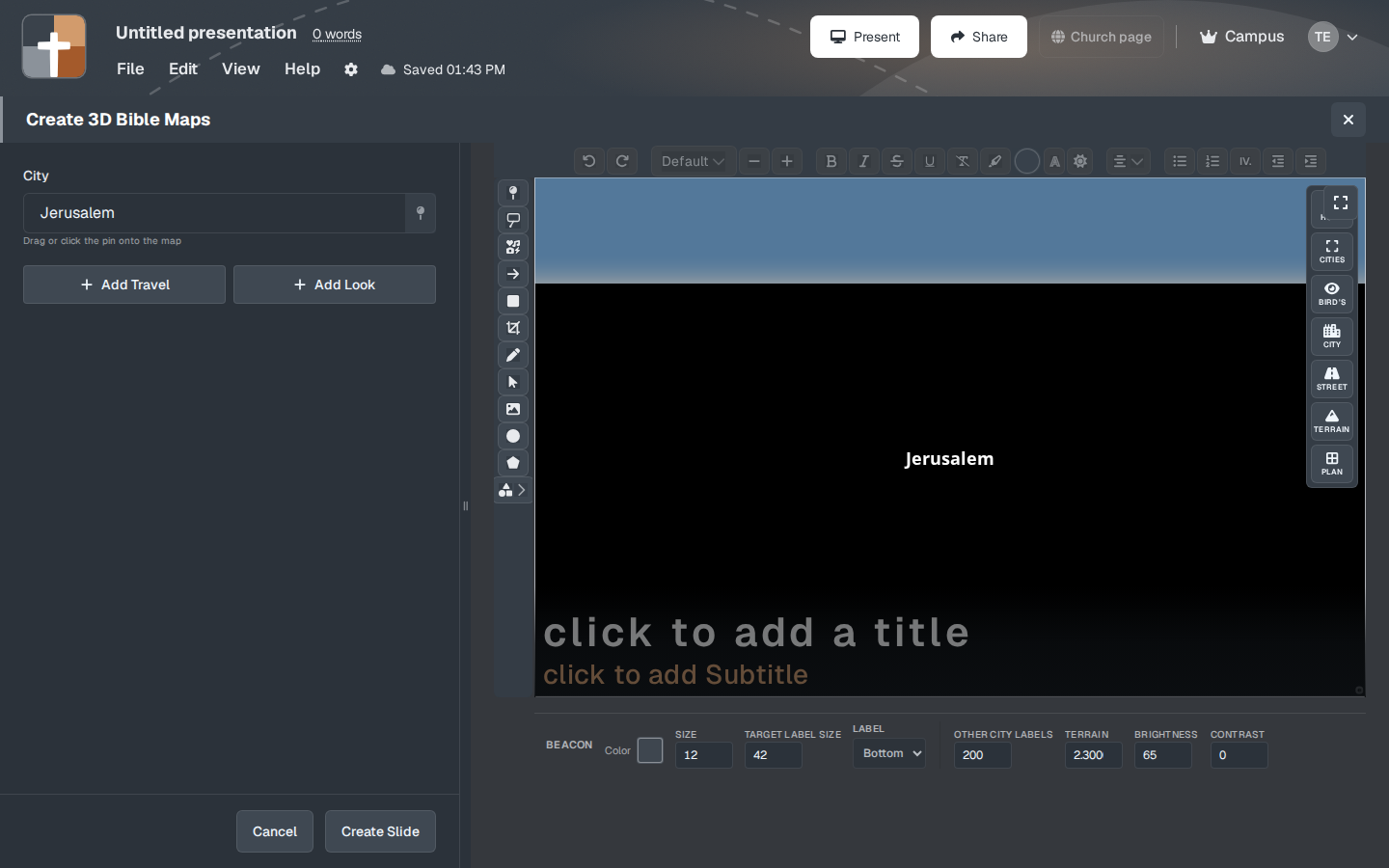
The setup window
- City — “Drag or click the pin onto the map.” The place name in the preview can start as Jerusalem. There are also faint lines, “click to add a title” and “click to add Subtitle,” for words on top of the map.
- Add Travel — a route, a journey from one place to the next.
- Add Look — a camera stop: where the map is looking, and how close.
- View buttons along the map: HOME, CITIES, BIRD'S, CITY, STREET, TERRAIN, PLAN, BEACON. These change how close and how diagram-like the map is. Bird’s-eye is the wide land. Street and City are for a tighter look. Plan is the flat diagram. Terrain is the ground itself.
- Color, SIZE, TARGET LABEL SIZE, and LABEL (Top, Bottom, Left, Right) control the pin and its name.
- OTHER CITY LABELS — whether neighboring names stay on the map. Turn them down when one city is the point and the other names are noise.
- TERRAIN, BRIGHTNESS, and CONTRAST — the ground under the labels. Raise contrast if the names disappear into the hills.
- Create Slide or Cancel. On Free the button says Upgrade to Add.
Wait until the map has finished loading before you place a pin you care about. A pin dropped on a half-loaded map is easy to lose.
In the notes and in the small step previews, a map stays a still picture. Mapbox runs when you open the map, and when you play the journey from the slide. It does not run on every unselected slide in the notes.
While you present
One journey, a few looks. Add Travel for “they left here and arrived there.” Add Look when you need to stop and say what is on the ground. A long chain of looks becomes a film. The sermon is usually three stops.
Plans
3D Bible Maps is blocked on Free. The crown is the sign. Premium (monthly or annual), Campus, and the 30-day trial can add it. After the trial, Free cannot. The same crown rule covers Bible Photo, Family Tree, Ancient Units, and 3D Models.