Help Center · Slide Types
Image
Upload a picture, paste a URL, or pick from the photo library.
Image is a picture slide: a photo you upload, a web address, or a picture from the photo library, with room for a caption and steps.
Where to find it
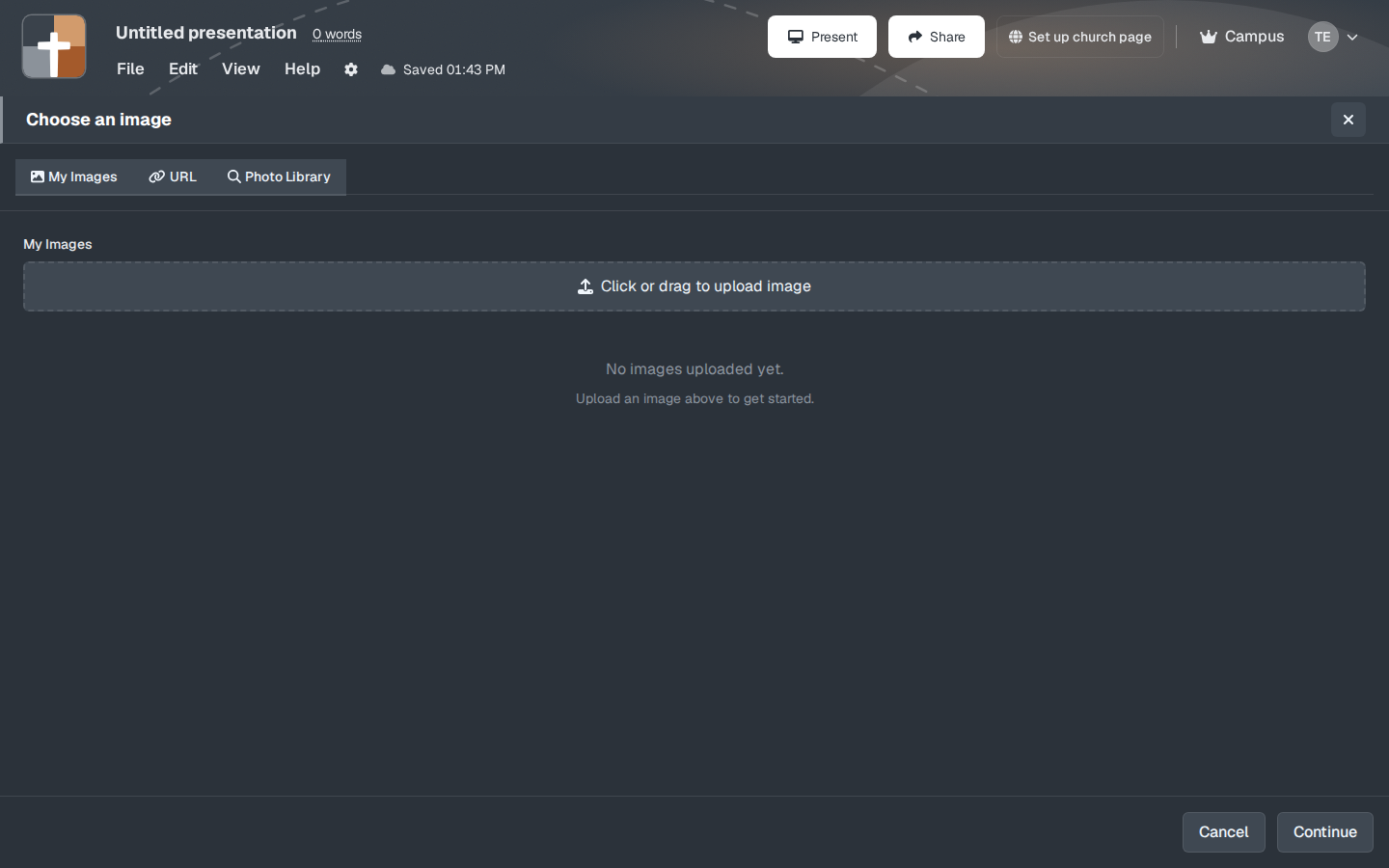
Pinned for new accounts. The first screen is Choose an image, not a form full of fields. Three ways in:
- My Images — pictures already on your account. A new account says “No images uploaded yet” and “Click or drag to upload image.”
- URL — a link to an image.
- Photo Library — pictures you can search, rather than a file from your computer.
Continue moves on after a picture is chosen. Cancel closes the window.
After you pick a picture
The next screen is the slide itself: the picture, an optional caption, and Steps / Add step for a focus box, an arrow, or a label. Those steps are how you walk a photograph — “look here, then here” — without making a new slide for every circle.
Uploading a file from your computer needs a paid plan. On Free, that upload stops and asks you to upgrade. The Free plan does not include image uploads.
While you present
A full-bleed photo with three words of caption reads farther than a photo covered in type. Use steps when you need the room to notice one part of the picture, such as a doorway or a face, and then the next part.
Plans
The Image type itself is not one of the crowned slide types. Uploading your own file is. Free cannot upload images. URL and the photo library are separate tabs on the same window. HTML export and image export are also paid. Free slideshows are watermarked, and a deck is limited to 7 slides and 3 presentations after the 30-day trial.