Help Center · Slide Types
Event Countdown
Days, hours, minutes, and seconds until a date.
Event Countdown counts toward a date and time, or up from one. Use it for a retreat, a Good Friday service, or a dedication — anything with a clock time, not a five-minute discussion. A discussion timer is the Timer slide.
Where to find it
More slide types → Event Countdown. The window is Create Event Countdown.
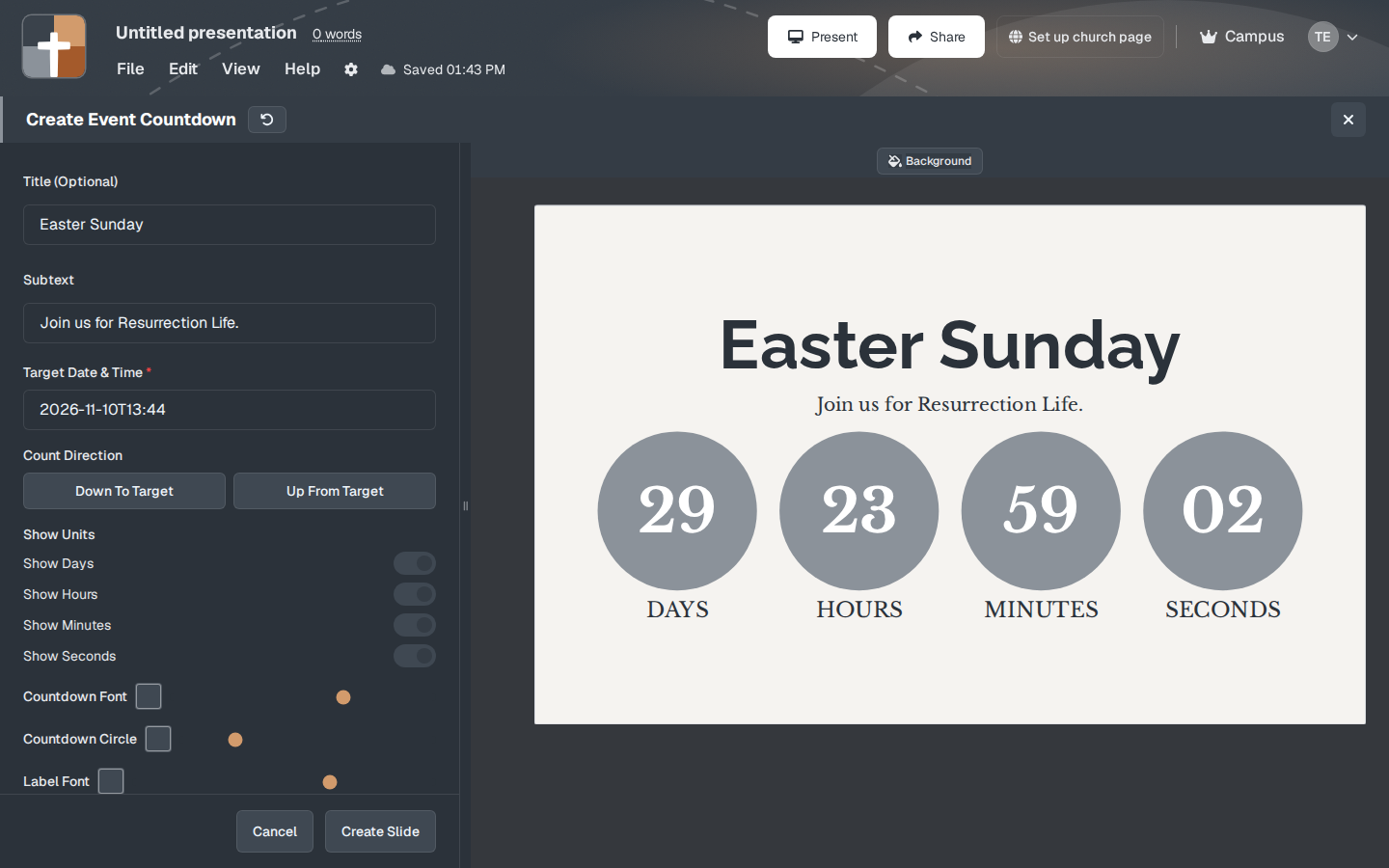
The setup window
- Title — optional. The sample title is Easter Sunday. Size starts at 100%.
- Subtext — optional. The sample says “Join us for Resurrection Life.”
- Target Date & Time — required. This is the moment the counter aims at.
- Count Direction — Down To Target or Up From Target.
- Show Units — Show Days, Show Hours, Show Minutes, Show Seconds. Turn off seconds if a ticking second-counter is more motion than the announcement needs.
- Countdown Font and Countdown Circle — the look of the digits.
- Label Font — the words Days, Hours, Minutes, Seconds.
- Frame Thickness — from None (0px) through 10px and 20px.
- Background, Create Slide, Cancel.
The preview shows the four units with time remaining. Set the real date before Sunday. A countdown aimed at a sample date will confidently count toward the wrong morning.
While you present
Down To Target is the announcement (“three weeks from today”). Up From Target fits a memorial or a count of days since. Hide seconds for a date that is still weeks away. The number will not appear to move during a hymn, and that is fine.
Plans
Event Countdown is on the Free plan. No crown. After the trial: 7 slides, 3 presentations, watermark.