Help Center · Slide Types
Verse Analysis
Color the parts of speech in a verse and step through them.
Verse Analysis colors the parts of speech in a sentence so you can show what each word is doing. The sidebar name is Verse Analysis. It is the diagram of one verse, not a full syntax textbook.
Where to find it
Pinned for new accounts. The window is Create Verse Analysis.
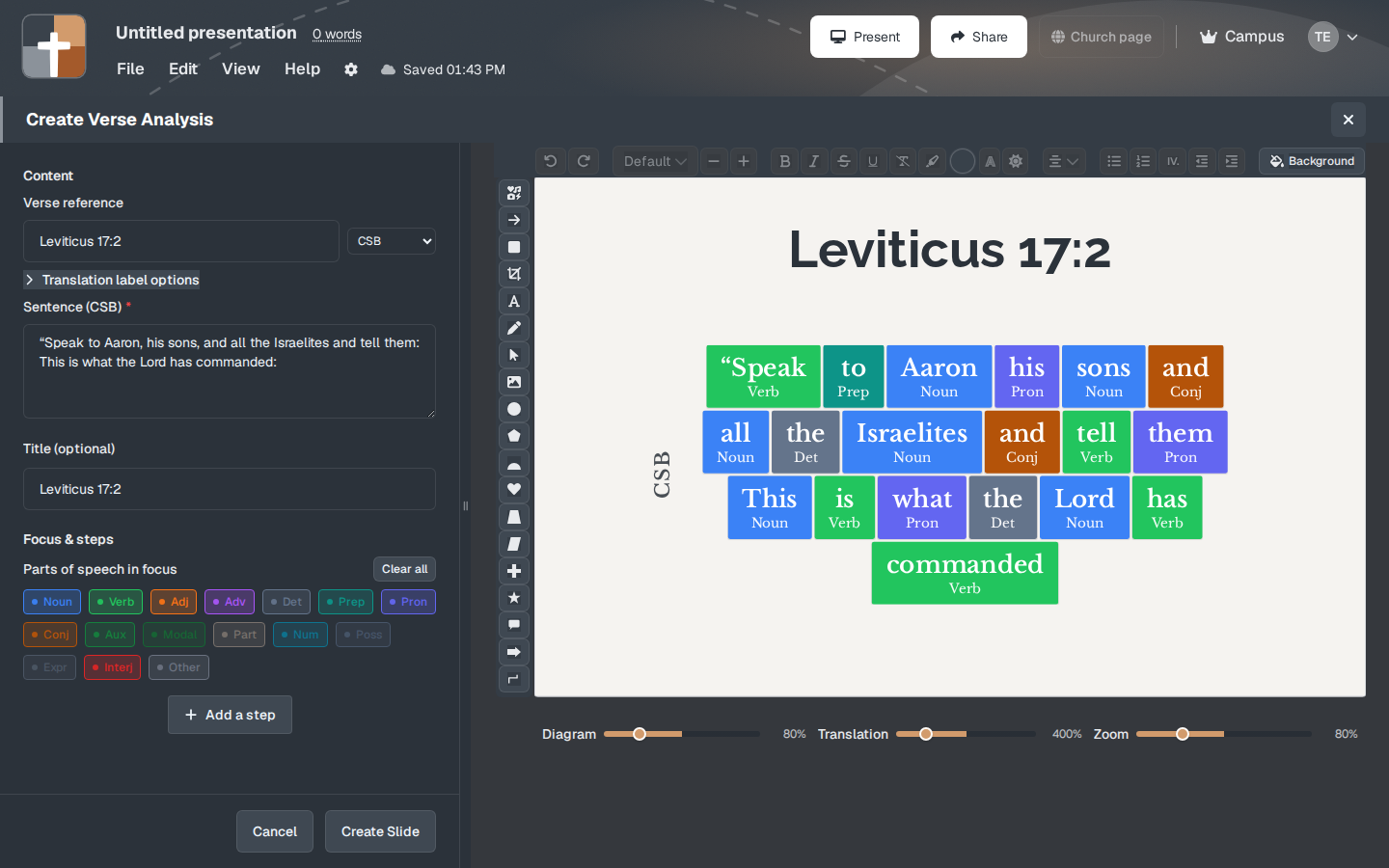
The setup window
- Content — Verse reference. The sample opened on Leviticus 17:2.
- Translation choices shown on the window: ESV, NKJV, NASB, NASB20, CSB, WEB, CEB, KJV. The sample sentence was labeled Sentence (CSB). ESV can appear here for analysis even though a brand-new Bible Verse slide does not offer ESV in the translation dropdown. If you pick ESV, confirm the words are the text you mean to preach.
- Title — optional, starting at 75%.
- Focus & steps — Parts of speech in focus, with Clear all, and a chip for each kind the parser found: Noun, Verb, Adj, Adv, Det, Prep, Pron, Conj, Aux, Modal, Part, Num, Poss, Expr, Interj, Other. Turn on the ones you will talk about. The sample sentence (“Speak to Aaron…”) already shows Verb, Prep, Noun, Pron, Conj, Det, and so on, in color.
- Add a step — reveal one part of speech at a time.
- Size controls on the preview: Diagram (sample 80%), Translation (sample 400%), Zoom (sample 80%).
- Create Slide or Cancel.
While you present
Pick one or two parts of speech that carry the argument of the verse (the main verb, the object) and step to those. Coloring every word at once is a wall of labels. The room needs the verb you are about to explain.
Plans
Verse Analysis is on the Free plan. It does not show a crown. Free limits after the trial still apply: 7 slides, 3 presentations, watermark.