Help Center · Slide Types
Family Tree
A biblical family graph with a camera stop for each person.
Family Tree is a biblical family drawn as a graph. You pick a person, and the slide can move to a camera stop for each relative you add as a step. A new tree opens at Home · Abraham.
Where to find it
More slide types → Family Tree. It is not in the default pinned list. On Free, the row has a crown. The window is Create Family Tree.
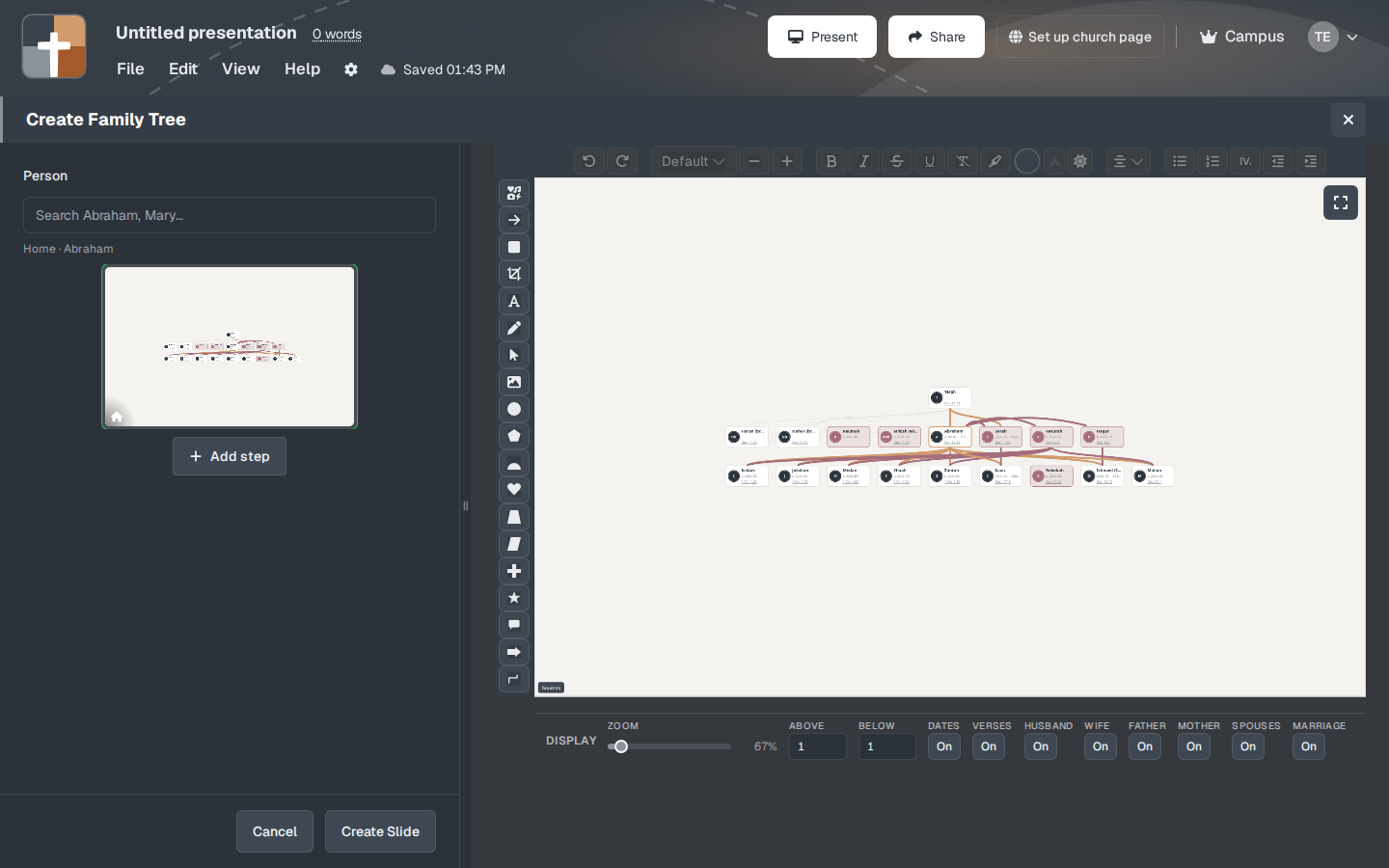
The setup window
- Person — who the tree is centered on. It opens at Abraham. Change the person before you build steps, or every stop will be Abraham’s relatives when you meant David’s.
- Add step — another person, another stop. The step is how you move through the family while you teach, instead of showing every name at once.
- DISPLAY — ZOOM (the sample opened at 67%), and ABOVE / BELOW for who is drawn up or down from the person in the middle.
- Switches, each On by default in the window that was opened: DATES, VERSES, HUSBAND, WIFE, FATHER, MOTHER, SPOUSES, MARRIAGE, LINE, OTHER. Turn off the ones that make the slide a tangle. A sermon on one marriage does not need every cousin.
- COLOR, with separate defaults for MEN and WOMEN.
- Sources — where the relationships are drawn from. Leave it available if someone asks.
- Create Slide. On Free the button says Upgrade to Add.
While you present
Start at the person the passage names, then step to the parent or child you are about to mention. Reading every name on a full patriarchal chart from the pulpit loses the verse. Two or three stops match the way you would tell the family out loud.
Plans
Family Tree is not available on Free, even though some plan summaries only mention photos, maps, and 3D models. The crown and Upgrade to Add are the rule in the editor. Premium, Campus, and the 30-day trial can add it.