Help Center · Audience Interaction
Polls, questions, ratings, and quizzes
The four audience tools and what the room sees.
Audience Interaction is one slide with four tools. The slide-type article is Audience Interaction. This one is the room’s side of it.
More slide types → Audience Interaction opens Choose interaction type.
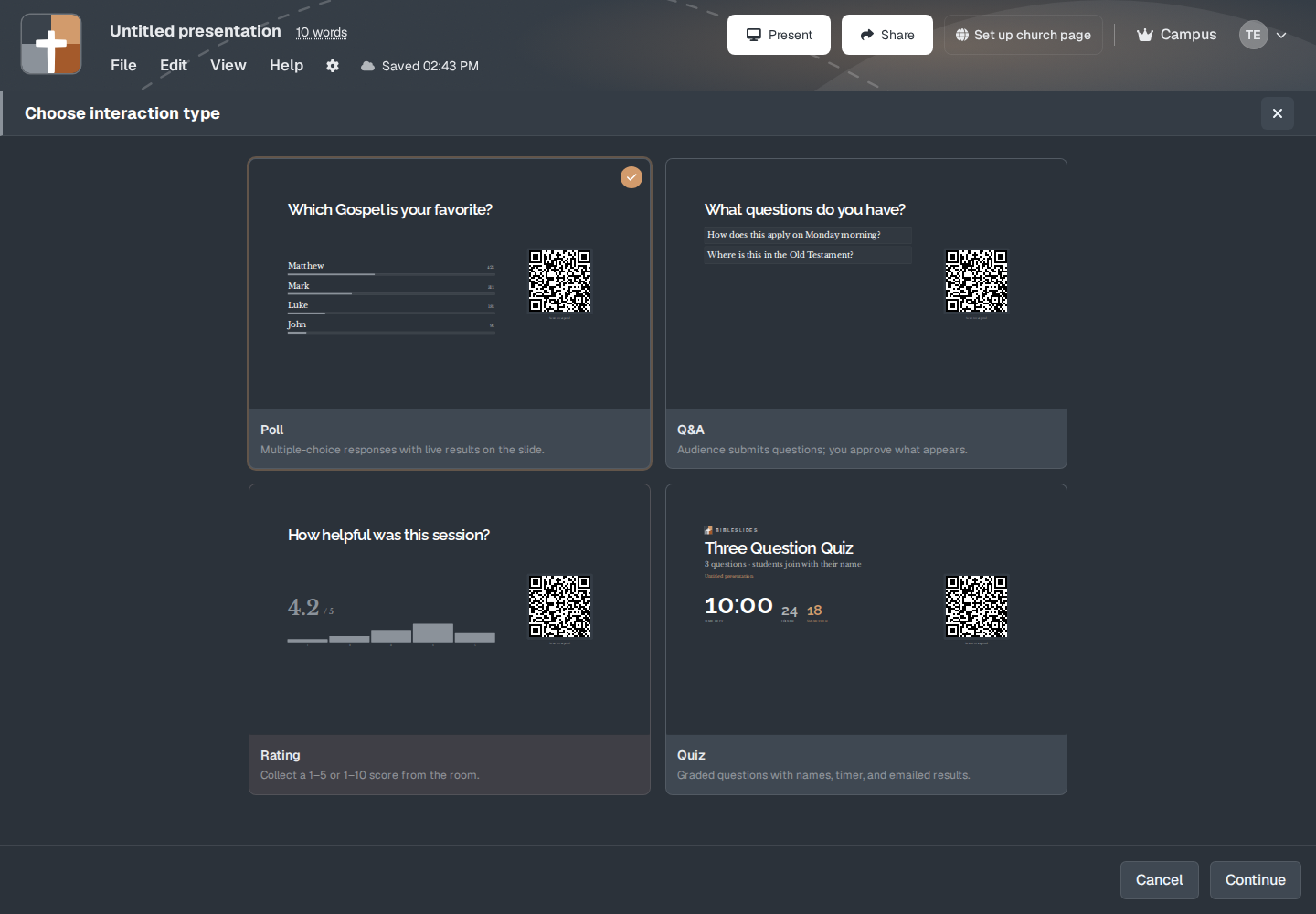
- Poll — “Multiple-choice responses with live results on the slide.”
- Q&A — “Audience submits questions; you approve what appears.”
- Rating — “Collect a 1–5 or 1–10 score from the room.”
- Quiz — “Graded questions with names, timer, and emailed results.”
Poll
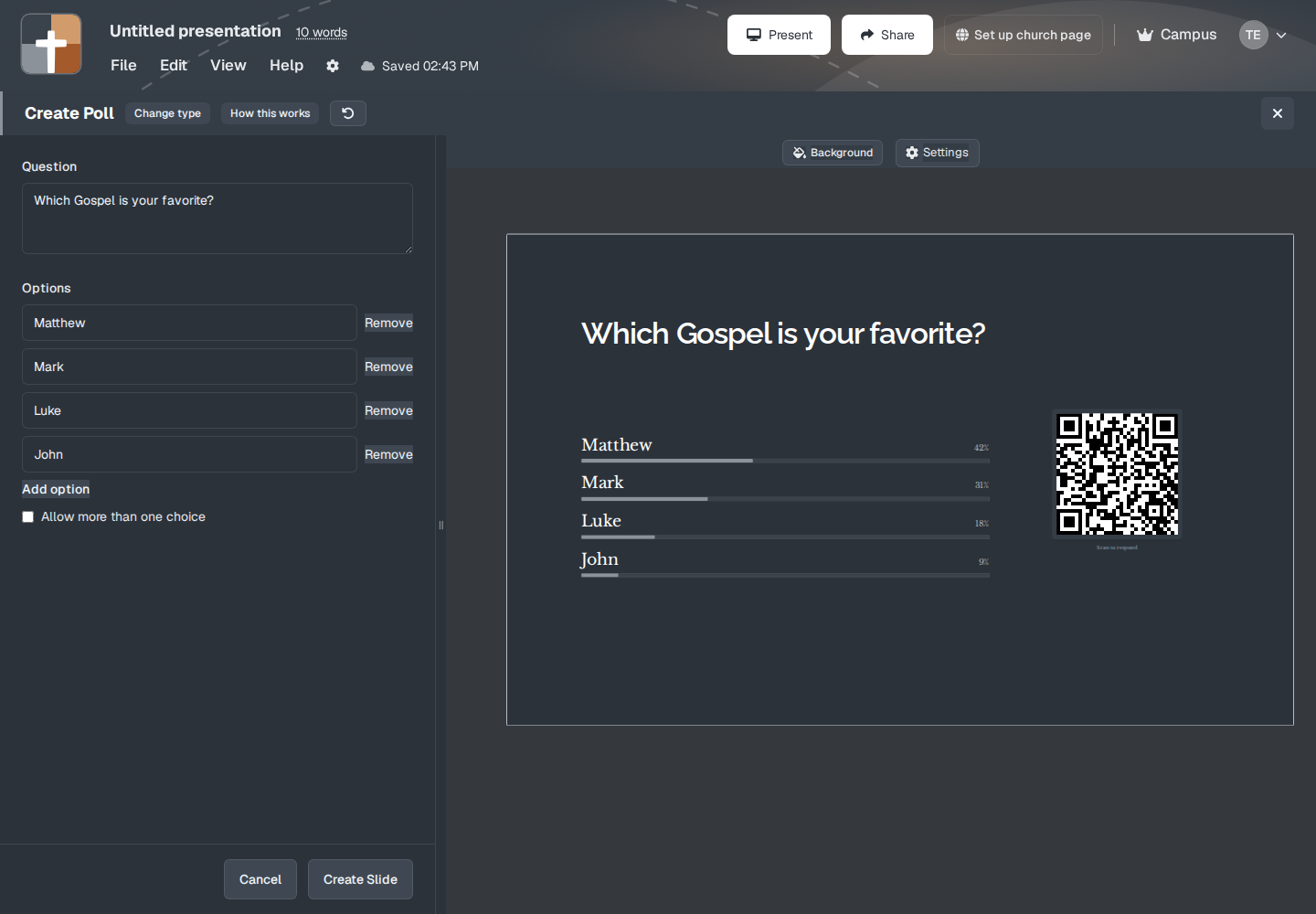
The window title is Poll. Change type goes back to the four choices. Question, then Options, Remove, and Add option. Allow more than one choice is on this window.
Show results live on the slide is not on this window. Open Settings. That smaller window is Slide settings: Font size, QR code size, and, for a poll or a rating, Show results live on the slide. Done closes it. A quiz uses Show BibleSlides logo and a time limit there instead. Q&A uses Require name from questioners.
Q&A
People type a question. Require name from questioners asks for a name. You approve what the room sees. Unapproved questions stay off the slide.
Rating
Scale is 1–5 or 1–10. Show results live on the slide works here too.
Quiz
Quiz title, questions, and Generate with AI if you want a draft. Time limit uses the hint “Completes 30 seconds after every joined student finishes, or when time runs out.” Show BibleSlides logo is a checkbox.
What the room does
The slide shows a QR code labeled Scan to respond. Phones open /respond/ plus this presentation. They do not need the BibleSlides app. Font size and QR code size are in Settings on the setup window. How this works restates the steps. Change type goes back to the four choices.
Plans
The Audience Interaction slide is not one of the five types Free cannot add, and it is not the Campus-only Follow-Along QR. Free can add it, inside the 7-slide and 3-presentation caps. Follow-along, the other QR, is Campus and the trial. See Follow along for the room.
Reading the numbers while people answer is Reading the results.