Help Center · Presenting on Sunday
Booth URL
The permanent address for the sanctuary computer.
The booth URL is one address for the computer that runs slides. You publish a presentation to it. The address does not change when you publish a different sermon next week.
It is not a share link. A share link is for a person. The booth URL is for the booth. See Share a presentation.
Where it is
Present → Send to My Slideshow Page. The description is “Your personal URL for the person running slides — no login required.” The same command is on a project card’s menu.
The window is titled Send to My Slideshow Page. The section is Your booth URL, with Copy and Clear content. Clear content’s tooltip is “Remove the presentation from this URL. The URL itself stays the same.” The toast is Booth content cleared. Copy says Booth URL copied.
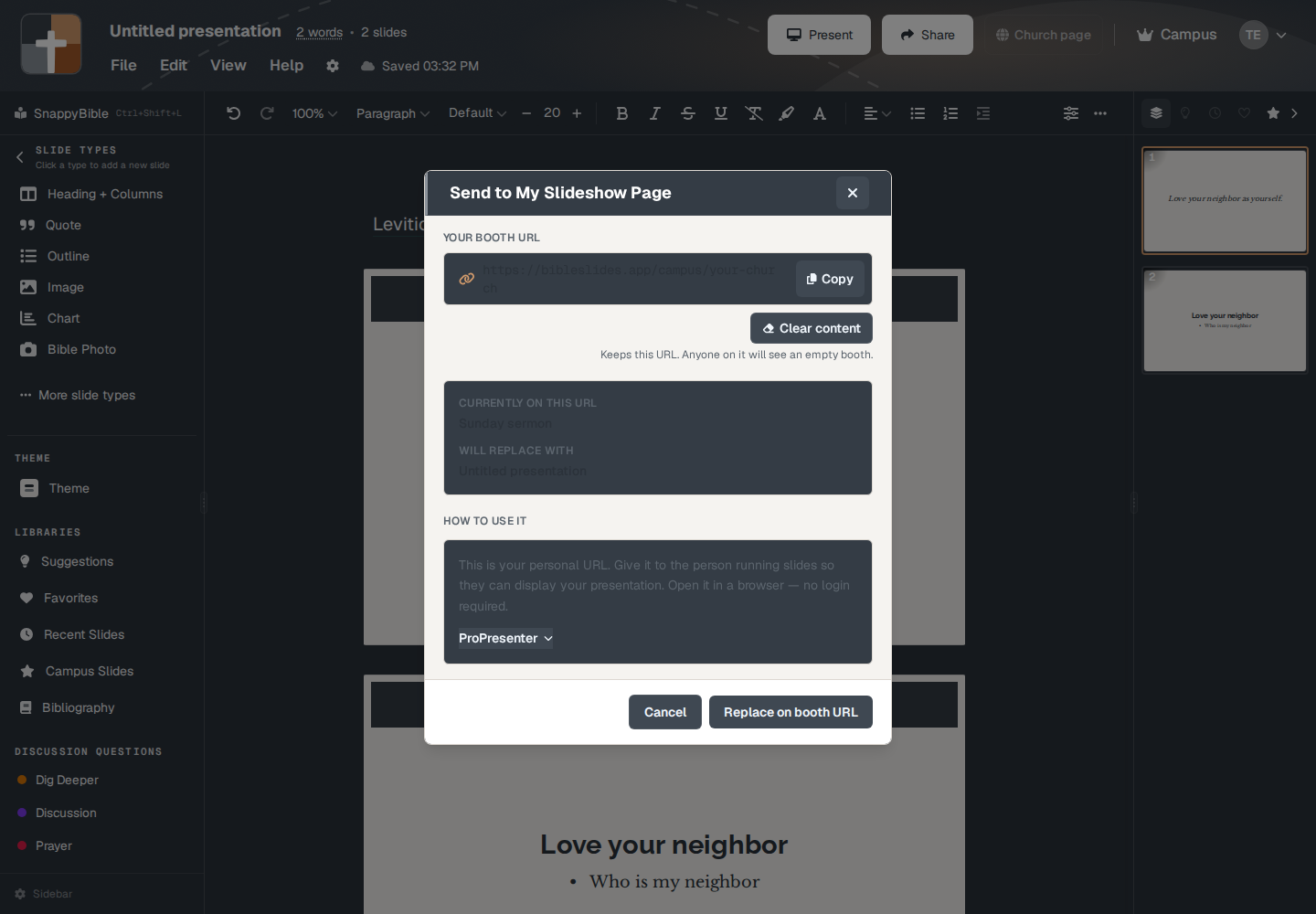
Publish on booth URL puts this deck on the address. If something is already there, the button reads Replace on booth URL. While it works, the label is Updating…. The toast is Booth URL updated.
The path looks like /campus/{your-name}. An older /pp/{your-name} still opens it. The person at the booth opens that address in a browser. No login. The kiosk does not have End Present. They leave by closing the browser.
An empty booth says This booth is empty. A bad address says This booth URL was not found.
ProPresenter
The same window has a ProPresenter section: put the URL in a Web fill. See ProPresenter.
Plans
Send to My Slideshow Page is on the Present menu for Campus and campus members. It is not on the menu for a Free or Premium account. The sanctuary computer does not need its own paid login. It only needs the URL.