Help Center · Troubleshooting
Exports and watermarks
Why a Free slideshow shows a mark, and what export needs.
File → Export opens a submenu. These are the rows:
- Export to HTML
- Export Offline Slideshow — the tooltip is “Single file that presents offline in a browser (no internet).”
- Export to PDF
- Export to PowerPoint
- Export Slide Images
- Export Document
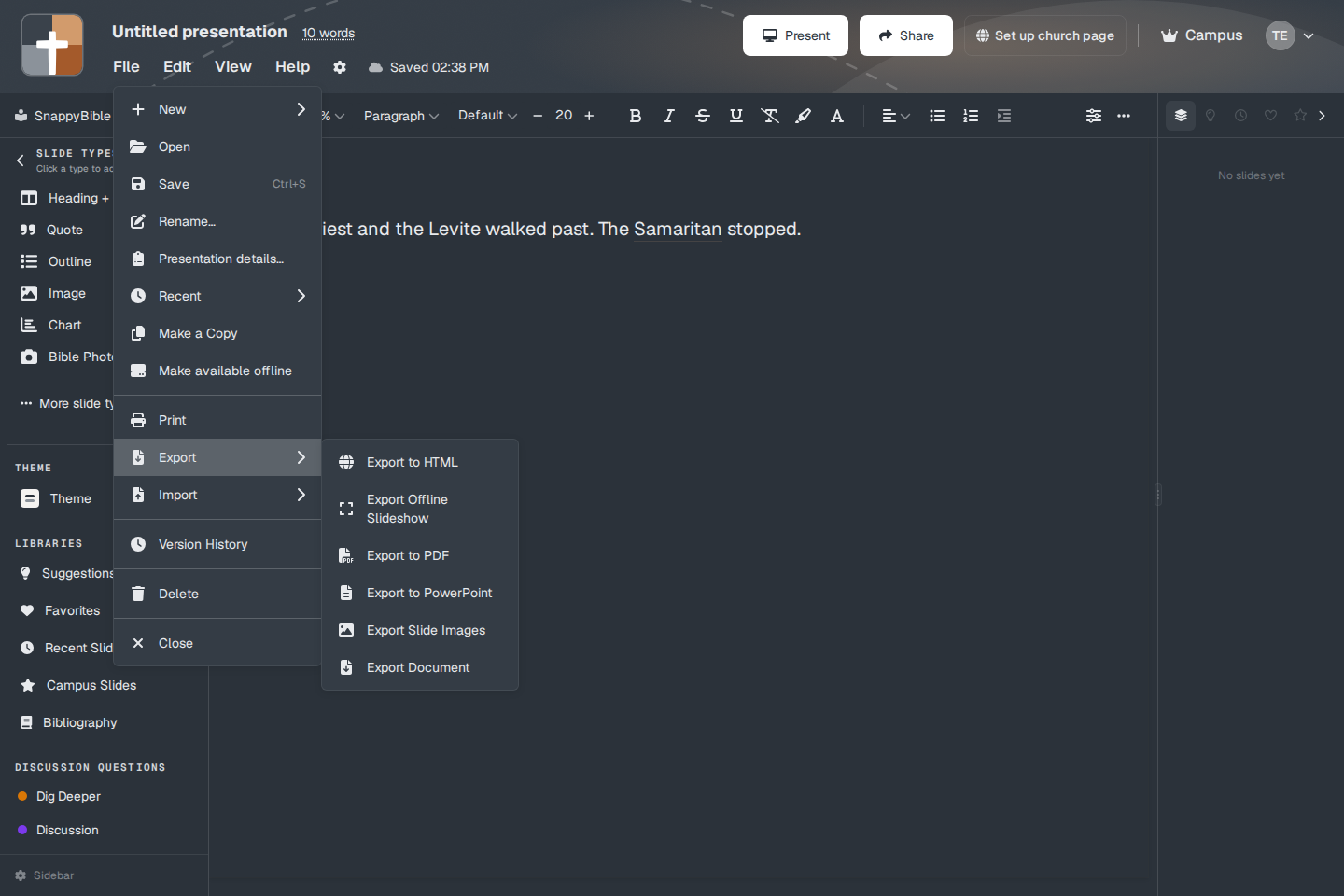
What Free can export
On Free, after the trial, those exports are blocked. The toasts are specific:
- “HTML export is a premium feature. Please upgrade to export your presentations.”
- “Offline slideshow export is a premium feature…”
- “PDF export is a premium feature…”
- “PowerPoint export is a premium feature…”
- “Slide image export is a premium feature. Please upgrade to export your slides as images.”
Import PowerPoint is the same kind of gate: “PowerPoint import is a premium feature. Please upgrade to import your presentations.” See Import PowerPoint.
Premium (monthly or annual) and Campus can export. A new account’s 30-day trial is treated as Premium for this, so export works during the trial.
The watermark
Free slideshows carry a mark. The plans window says Slides are watermarked. The mark is the BibleSlides logo, bottom-left, on the slideshow output.
During the 30-day trial the free logo is not used. A trial slideshow can show a TRIAL sash in the upper left instead.
A campus admin can set a different image for campus slideshows: Slide watermark, with “Show watermark on campus slideshow output.” That image replaces the free badge when it is turned on. It is configured in campus admin, not in the Export menu.
File → Make available offline is not an export and it is not paid. See Presenting offline. The offline slideshow file under Export is the paid one.
Plans
Export (HTML, offline slideshow file, PDF, PowerPoint, slide images) needs Premium, Campus, or the signup trial. The free watermark applies when the trial is over and the account is Free. Premium and Campus slideshows do not get the free logo.