Help Center · Slide Types
Powerpoint Draw
A blank canvas for text, shapes, and images, with layouts.
Powerpoint Draw is a blank canvas. You put text, shapes, and pictures on it yourself, or you start from a layout. The shortcut list still calls the same tool Diagram. In the sidebar and in More slide types the name is Powerpoint Draw.
Where to find it
Pinned for new accounts, between Image and Heading + Columns. The window is Create Powerpoint Draw.
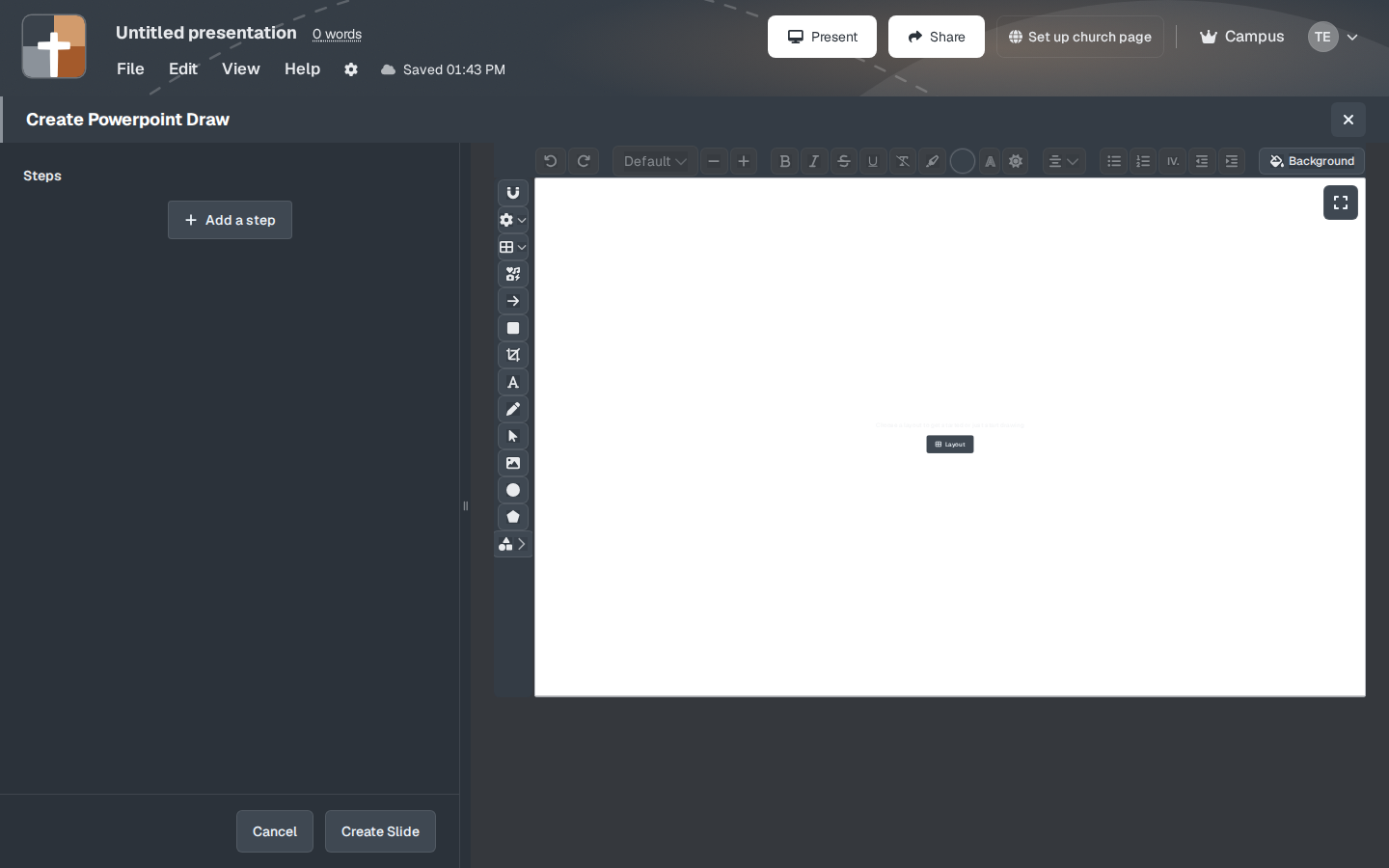
The setup window
The empty canvas says: “Choose a layout to get started or just start drawing.”
- Layout — a starting arrangement, such as a title or a picture with a caption, so you are not staring at a blank rectangle.
- Steps and Add a step — build the drawing in stages. Each step is what the next click reveals.
- Background — the canvas color or image.
- Create Slide saves the canvas into the deck. Cancel discards it.
Draw on the canvas the way you would mark a whiteboard: a circle around a word, an arrow, a short label. If the sermon only needs a heading and bullets, Outline is faster. Use this slide when the arrangement itself is the point.
While you present
Steps on this slide are the animation. Build the step list in the order you will draw the idea, and click through it once in practice so you are not hunting for a shape on Sunday.
Plans
Powerpoint Draw is on the Free plan. A picture you upload onto the canvas still follows the image-upload rule: Free cannot upload images. The 7-slide and 3-presentation limits, and the watermark, apply after the trial.