Help Center · Getting Started
The sample presentation
The deck that is already on a new account.
A new account gets a deck titled Sample Presentation. It sits in My Projects with the other cards: a title, when it was last touched, and a slide count. There is no separate “Sample” badge on the card. The title is the mark.
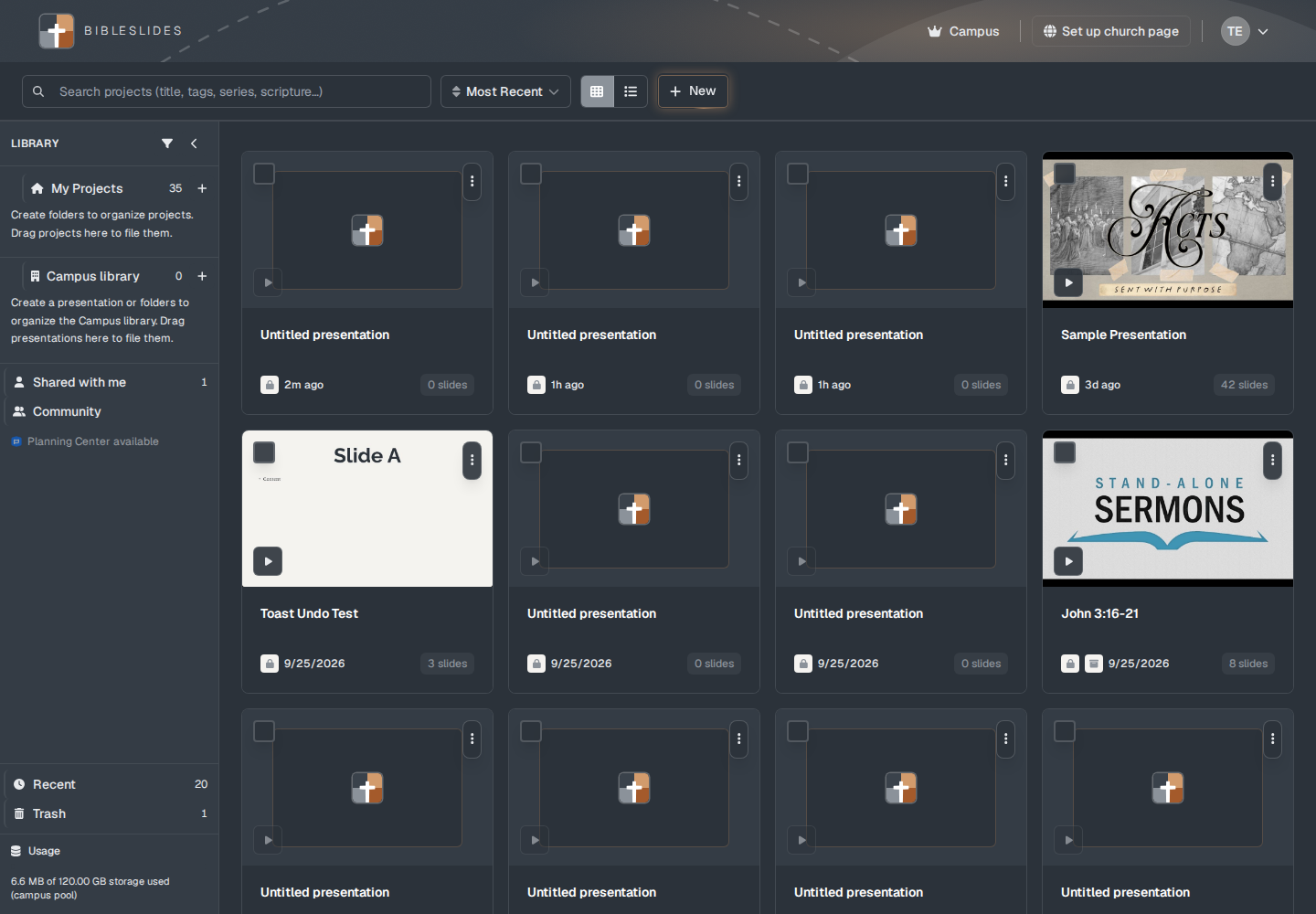
The sample is for looking around. It does not count toward the Free plan’s 3 presentations. Work you want to keep belongs in a deck you create with New.
Opening it
The original sample is a locked seed. The editor can show Sample or Sample — not saved in the title area, and the tour note says: “Sample deck — you can try editing, but changes are not saved. Use New Presentation on the projects page to keep your work.”
Opening that locked seed makes a normal copy you can edit. The copy is a real presentation. From then on it saves like any other deck, and it counts toward the Free plan’s 3 if you are on Free. The card menu still says Delete, the same as every other card. Deleting moves it to Trash.
An older title, “Start Here: Example Presentation.”, is treated as the same sample.
What to do instead
Click New and choose Blank presentation or Teaching starter. See The projects page and Teaching starter.
Plans
The sample is created for the account. It is not a paid feature. It is excluded from the 3-presentation count. A copy you make by opening it is an ordinary deck.