Help Center · Slide Types
Definition
Look up an English, Greek, or Hebrew word and choose the senses to show.
Definition is a dictionary slide: a word, how it is said, and the senses you choose to show. It looks up English, Greek, or Hebrew.
Where to find it
Pinned for new accounts, next to Verse Analysis. More slide types → Definition. The window is Create Definition.
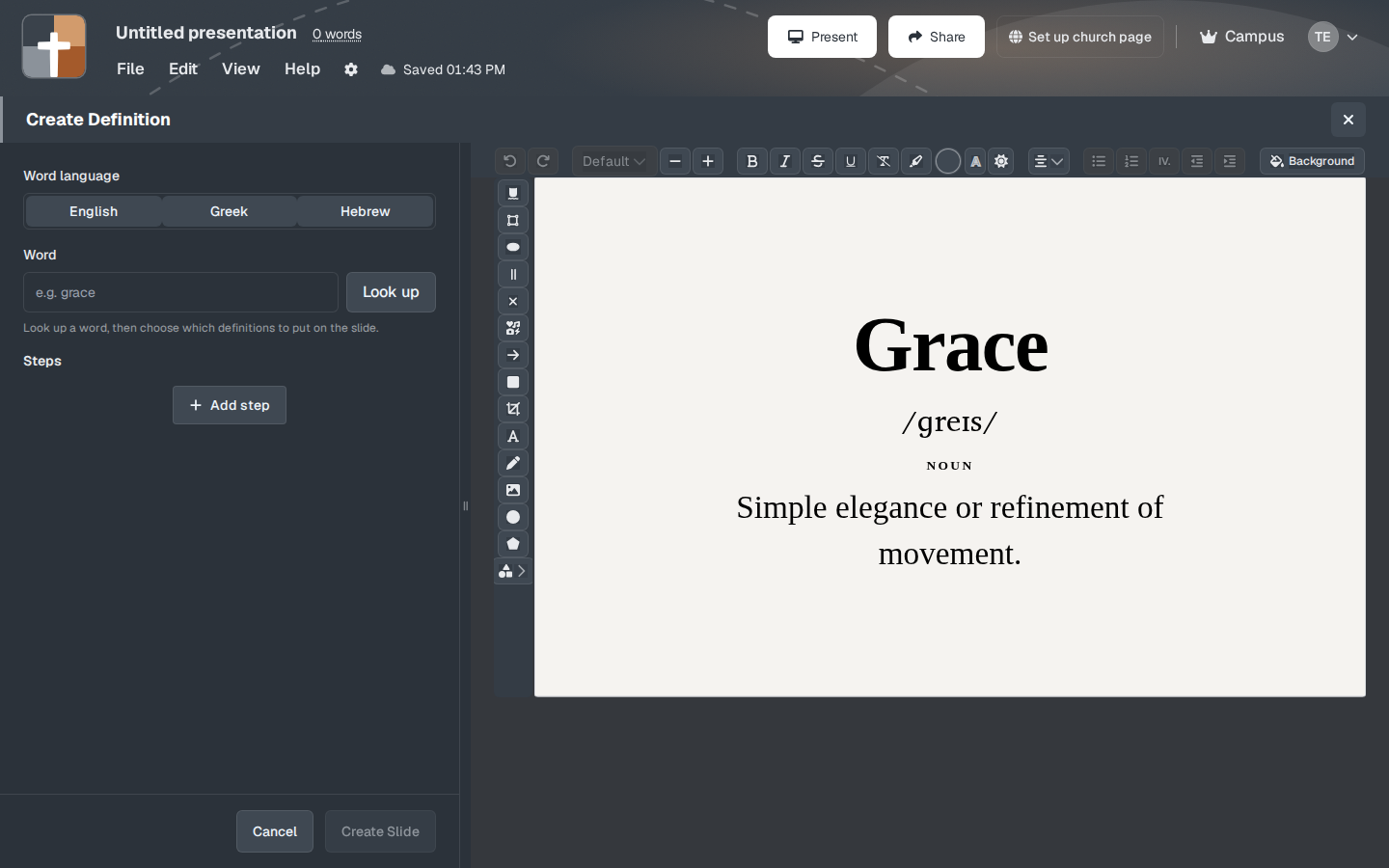
The setup window
- Word language — English, Greek, or Hebrew.
- Word — type the word.
- Look up — fetches senses. The prompt under the field says: “Look up a word, then choose which definitions to put on the slide.”
- The preview starts on an English sample, Grace, with the pronunciation /ɡreɪs/, the label noun, and “Simple elegance or refinement of movement.” Replace that with the word you are teaching. For a Greek or Hebrew word, switch the language first so you are not looking up an English spelling in the wrong list.
- Steps and Add step — reveal one sense at a time, or mark the sense you are on.
- Background, then Create Slide or Cancel.
You choose which definitions stay on the slide. A word with eight senses does not need all eight in the room.
While you present
Put the sense that serves the passage on the slide, and leave the rest in your notes. If you are looking up a word from a Bible verse, the verse slide’s omega tool can also add an original-language callout. Definition is the full slide when the word itself is the point.
Plans
Definition is on the Free plan. Greek and Hebrew lookups are part of the slide, not a separate paid switch. Free limits (7 slides, 3 presentations, watermark) still apply after the trial.