Help Center · Slide Types
Audience Interaction
A live poll, Q&A, rating, or quiz the room joins with a QR code.
Audience Interaction is a live poll, a question box, a rating, or a quiz. People join from their phones with the QR code on the slide. You see the answers come in while you teach.
Where to find it
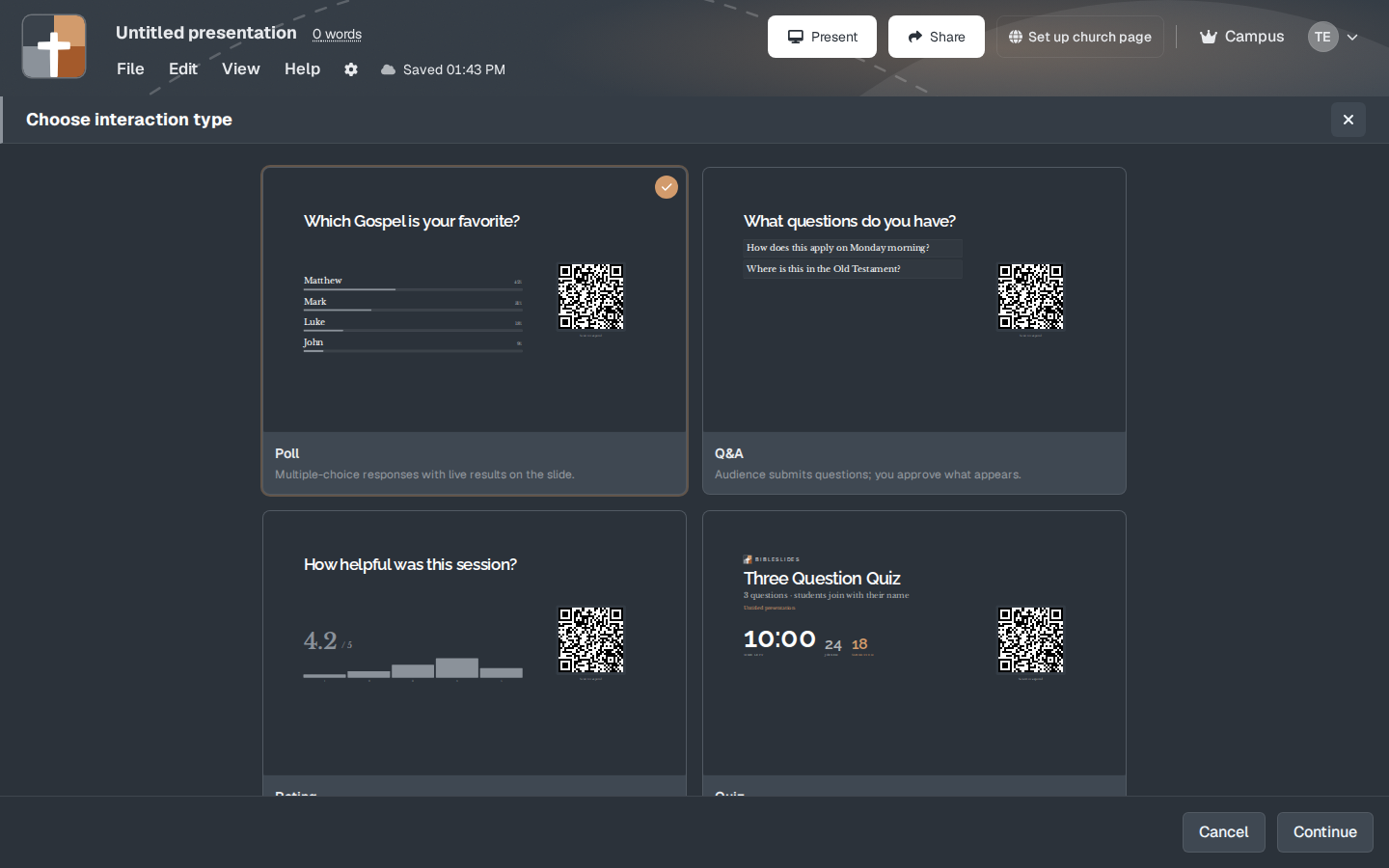
More slide types → Audience Interaction. Not pinned by default. The first screen is Choose interaction type, not the question editor. Continue goes to the question. Cancel closes the window.
The four types
Each card shows a small example and a one-line description:
- Poll — “Multiple-choice responses with live results on the slide.” The sample question is “Which Gospel is your favorite?” with Matthew, Mark, Luke, and John as the choices, and “Scan to respond.”
- Q&A — “Audience submits questions; you approve what appears.” The sample prompt is “What questions do you have?” with example questions under it (“How does this apply on Monday morning?”, “Where is this in the Old Testament?”).
- Rating — “Collect a 1–5 or 1–10 score from the room.” The sample is “How helpful was this session?” showing a score out of 5.
- Quiz — “Graded questions with names, timer, and emailed results.” The sample card says “Three Question Quiz,” “3 questions · students join with their name,” and shows time left, how many joined, and how many submitted.
On the next screen you write the real question, the choices or the scale, and the words around the QR code. The code on the sample says Scan to respond.
While you present
Put the slide up before you ask people to take out phones, and leave it up long enough for the counts to move. A poll you click past in five seconds will look like nobody answered. For Q&A, you approve what appears, so a question does not jump onto the screen unread. For a quiz, the timer on the card is part of the point. Tell the room how long they have before you start it.
Practice once with your own phone on the church Wi-Fi. A QR code that works in your office and fails in the sanctuary is a network problem, not a broken slide.
Plans
Audience Interaction is not in the crowned list. You can add the slide on Free. What the room can do with follow-along during the whole service is a separate Campus feature. See Follow-Along QR. After the trial, Free is still 7 slides, 3 presentations, and a watermark.