Help Center · Slide Types
Heading + Columns
A headline and two columns, with optional point-by-point reveal.
Heading + Columns is a title with two lists side by side. It fits a contrast: law and gospel, before and after, what they feared and what Jesus did.
Where to find it
It is pinned for new accounts, between Powerpoint Draw and Quote. If you have rearranged the sidebar, open More slide types and click Heading + Columns. The window is Create Heading + Columns.
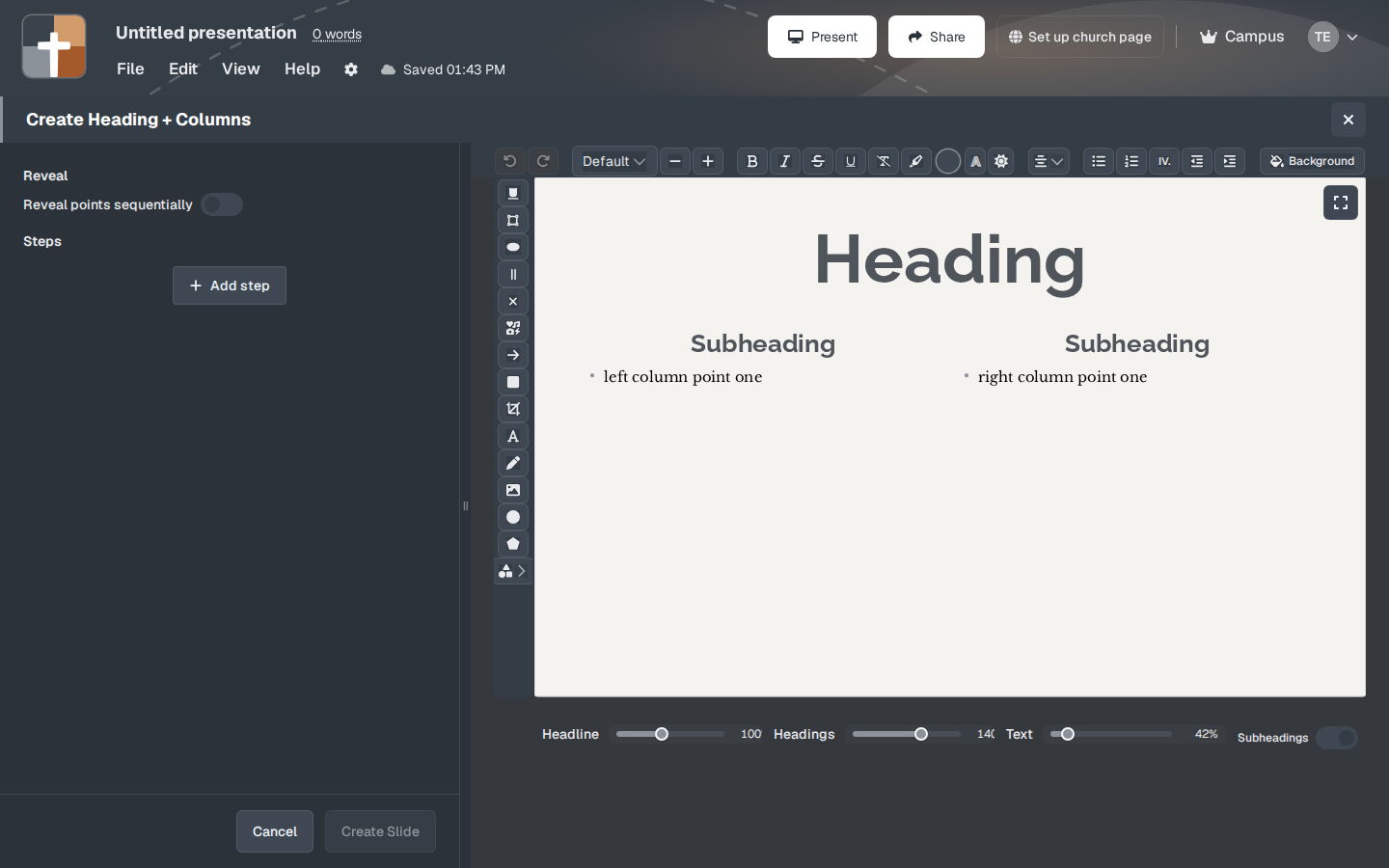
The setup window
The preview starts with placeholder copy: Heading, a Subheading, “left column point one”, another Subheading, and “right column point one”. Click those words and replace them. One line is one point.
- Reveal points sequentially — when this is on, the heading can appear first and the points follow as steps, instead of showing both columns at once.
- Steps and Add step — a separate mark (focus, arrow, label) on top of the columns.
- Headline — size of the main title. Starts at 100%.
- Headings — size of the two column subheadings. Starts at 140%.
- Text — size of the points. Starts at 42%.
- Subheadings — show or hide the small titles above each column.
- Background — the slide background.
- Create Slide or Cancel.
While you present
Turn on sequential reveal when you want the room to hear the left column before the right one appears. Leave it off when the comparison only works if both sides are visible together, such as a two-column chart of “says” and “means.”
Plans
Heading + Columns is included on Free. The Free limits are 7 slides, 3 presentations, and a watermarked slideshow, after the 30-day Premium trial.