Help Center · Slide Types
Quote
A quotation and who said it, or a search of saved quotes.
Quote puts one quotation on the slide, with the person or the reference under it.
Where to find it
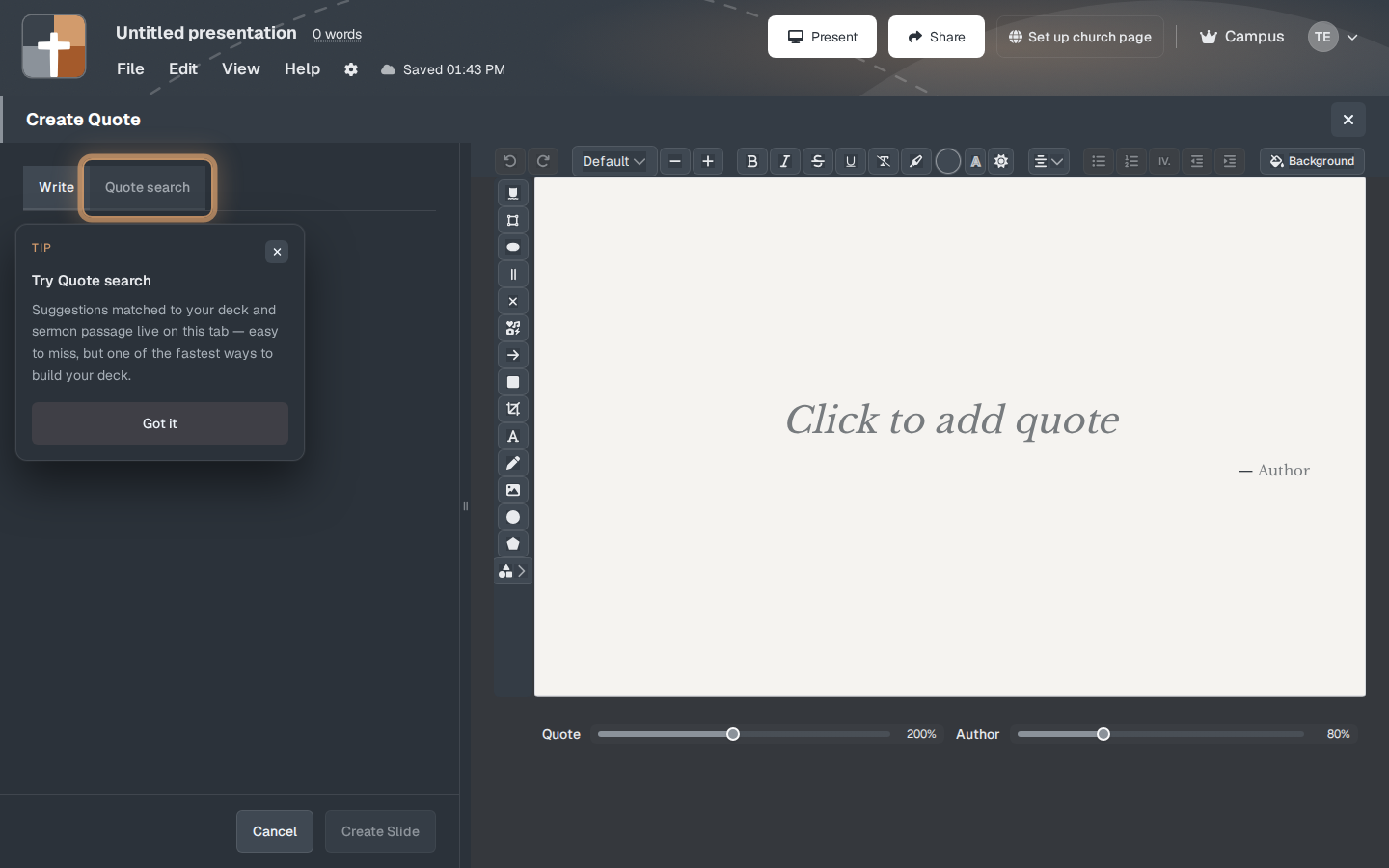
Quote is pinned for new accounts. The window is Create Quote. It has two tabs: Write and Quote search.
The first time you open Quote search, a note can appear: “Try Quote search. Suggestions matched to your deck and sermon passage live on this tab — easy to miss, but one of the fastest ways to build your deck.” Got it dismisses it. Quote search looks at the passage and the deck and offers quotations. Write is where you type your own.
The setup window
On Write:
- Quote text — the words on the slide. The preview in More slide types uses a line from D. Martyn Lloyd-Jones so you can see the size before you type.
- Author — a name, or a reference such as Luke 10:37. It is optional. Leave it blank for a line with no attribution.
- Size controls sit with the text styles. A quotation is set large; the author line is smaller.
- Create Slide adds it. Cancel does not.
On Quote search, pick a suggestion and it fills the quotation for you. Read it before you put it on the screen. A suggestion is a starting point, not a check that the sentence is the one you mean.
While you present
One sentence is enough. If you need the paragraph around the quotation, keep that in the notes and leave the slide on the sentence you will say out loud.
Plans
Quote is available on Free, within the Free limits: 7 slides, 3 presentations, and a watermark on the slideshow after the 30-day trial.