Help Center · Slide Types
Song
A hymn or worship song, one slide per lyric frame, with SongSelect and ChordPro import.
Song puts a hymn or worship song in the same document as the sermon: one slide per lyric frame, so the room can read the next stanza without a second program.
Where to find it
All slide types → Song. It is not pinned by default. Pin it to the sidebar if you use it every week. The editor is titled Songs.
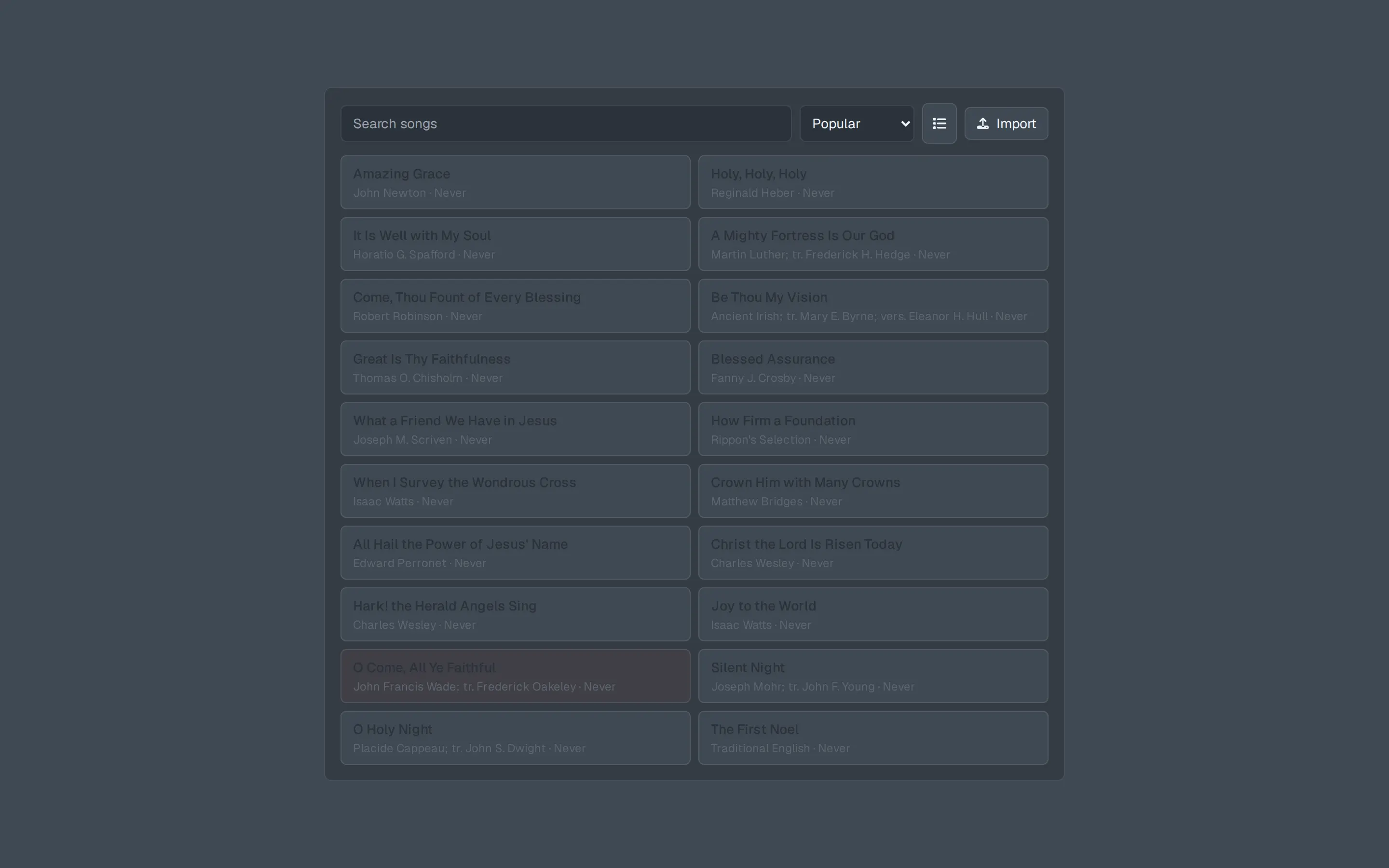
The setup window
- Search songs — title, author, CCLI number, and copyright. Sort starts on Popular; also Last sung, Alphabetical, and Author.
- Import — a SongSelect lyrics file (
.txtor.usr) or a ChordPro file (.cho,.chopro, or.pro). - Parts are Verse, Chorus, Bridge, Refrain, Pre-Chorus, and Tag. A file may mark them Estrofa, Coro, Puente, or Etiqueta.
- Order is the sung roadmap (for example V1 C V2). Add chorus/verse sings an existing chorus again. Duplicate step copies the words into a new part.
- Title, Author, CCLI number, and Copyright sit on the slide. Public-domain hymns are marked Public Domain.
- Save and insert splits a part longer than four lines and puts the song in the deck.
- Background starts as a black card until you choose a color, a photo, or Use document theme. A light solid color turns the words black.
Click the dimmed area outside the list and a blank Verse 1 is ready to type. New song opens the list again.
While you present
iPhone, iPad, and Android hide song slides until Show song slides is on for that device (Display settings). Turn it on when the same tablet is carrying both the singing and the sermon. For a full music set with motion backgrounds and a separate lyric operator, keep the booth on lyric software and use BibleSlides for the sermon.
Plans
Song is on Free, inside the usual Free limits after the trial (7 slides, 3 presentations, watermark). Uploading a background photo still needs a plan that allows image uploads.